








































Certificate of Full Identity in Rwanda: How to Apply (2026)
Learn how to apply for a Certificate of Full Identity in Rwanda through IremboGov. See requirements, cost, processing time, payment and download steps.

How to Apply for a Certificate of Full Identity in Rwanda (2026 Guide)
If you need official proof of your identity for an application or administrative process in Rwanda, you can request a Certificate of Full Identity through IremboGov.
The Certificate of Full Identity is an official supporting document provided through the Ministry of Local Government (MINALOC) and processed by local government authorities at the sector level. The application can be completed online, and the approved certificate is issued electronically.
In this guide, Fyndin explains how to apply for a Certificate of Full Identity in Rwanda, how much it costs, who can apply, the required documents, passport photo requirements, how to pay, how long the application takes, how to check the status and how to download the certificate after approval.
Quick answer:
A Certificate of Full Identity in Rwanda costs RWF 500. The official processing time is 1 working day. You apply through IremboGov, and the approved certificate is provided as an e-certificate that can be downloaded online.
Certificate of Full Identity in Rwanda: Quick Facts
| Information | Details |
|---|---|
| Service | Certificate of Full Identity |
| Application platform | IremboGov |
| Responsible institution | Ministry of Local Government (MINALOC) |
| Processing authority | Local government authorities at sector level |
| Official fee | RWF 500 |
| Processing time | 1 working day |
| Certificate type | Electronic certificate (e-certificate) |
| Validity | Lifetime, unless relevant National ID information changes |
| Application assistance | IremboGov account or Irembo agent |
Information checked against current IremboGov identification-service guidance in September 2026.
Table of Contents
- What Is a Certificate of Full Identity?
- How Much Does a Certificate of Full Identity Cost?
- How Long Does It Take?
- Requirements for a Certificate of Full Identity
- Who Can Apply?
- Passport Photo Requirements
- Do You Need an IremboGov Account?
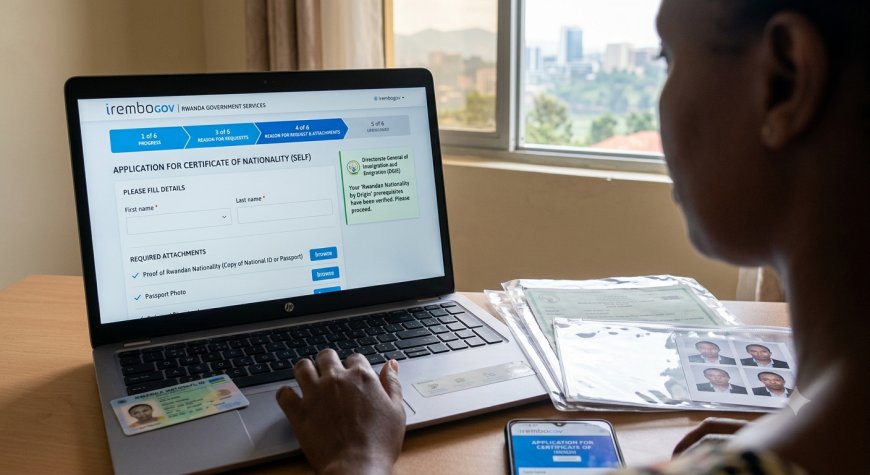
- How to Apply on IremboGov
- How to Pay for the Certificate
- How to Check Your Application Status
- How to Download the Certificate
- Can You Apply Through Any Sector?
- How Long Is the Certificate Valid?
- How to Verify a Certificate of Full Identity
- What If You Lose the Certificate?
- What to Do If Your Application Is Delayed
- Can You Apply Through an Irembo Agent?
- Common Mistakes to Avoid
- Frequently Asked Questions
- Application Checklist
- Final Thoughts
What Is a Certificate of Full Identity?
A Certificate of Full Identity is an official supporting document that Rwandans can obtain for various applications and administrative processes.
The service is provided by the Ministry of Local Government (MINALOC) and the application is processed by local government authorities at the sector level.
The certificate is delivered electronically through IremboGov after the application has been successfully processed and approved.
It is important to understand that a Certificate of Full Identity is different from a Certificate of Nationality. A Certificate of Nationality confirms that a person is a Rwandan citizen, while a Certificate of Full Identity serves as supporting documentation for identity-related applications.
How Much Does a Certificate of Full Identity Cost in Rwanda?
The official government service fee for a Certificate of Full Identity is:
RWF 500
This is the official service price listed by IremboGov.
After you submit the application, IremboGov generates a billing number/ID that you use to make the payment.
Irembo's current payment guidance says there are no additional charges for using its listed payment channels.
How Long Does a Certificate of Full Identity Take?
The official processing time is:
1 working day
The processing period applies after the application and payment have been successfully completed and the responsible authority processes the request.
Once the application has been approved, IremboGov sends a notification informing the applicant that the e-certificate is available for download.
If your application takes longer than the stated processing time, you should check its status using your application number or billing number and contact Irembo support if necessary.
Requirements for a Certificate of Full Identity in Rwanda
According to the current IremboGov identification-services FAQ, applicants should have the relevant identification information and contact details needed to submit the application.
For an applicant with a National ID
- A valid National ID number
- A valid phone number
- A valid email address
- An IremboGov account or assistance from an Irembo agent
For applicants without a National ID or child applicants
Depending on the application flow, you may need:
- A Citizen Application Number (Child ID)
- A passport photo where required
- A valid phone number
- A valid email address
IremboGov's current FAQ specifically states that an applicant can use a National ID number or a Citizen Application Number together with a passport photo for applicants without a National ID.
Who Can Apply for a Certificate of Full Identity?
The service is available to Rwandan citizens.
Applicants applying for themselves
IremboGov's application instructions state that when Self is selected, the applicant should be a Rwandan citizen who is above 16 years old and has a National ID.
Child applications
When applying for a child, the application instructions state that the child should be a Rwandan citizen below 16 years old and have a Citizen Application Number (Child ID) together with the required passport photo.
Passport Photo Requirements
A passport photo may be required for applicants without a National ID, including the relevant child application flow.
IremboGov's current identification-services FAQ states that the passport photo should meet these requirements:
- White background
- JPG format
- Maximum size: 500 KB
These specifications are listed in IremboGov's current FAQ updated in July 2026.
To avoid rejection or upload errors, do not rely on an old screenshot or third-party website for the current file requirement. Check the upload field on IremboGov when you apply.
Do You Need an IremboGov Account?
Yes. IremboGov states that applicants should have an Irembo account to apply for a Certificate of Full Identity, or they can visit an Irembo agent for assistance.
If you do not have an account, you can create one before starting the application.
If you have difficulty using the online platform, an Irembo agent can assist you with the application.
How to Apply for a Certificate of Full Identity on IremboGov
Follow these steps to submit your application online.
Step 1: Open IremboGov
Go to the official IremboGov website.
Click Log In and sign in to your account.
Use the official IremboGov website rather than links sent through unofficial messages or social media posts.
Step 2: Open Identification Services
After logging in:
- Open the Identification section.
- Find Certificate of Full Identity.
- Click the service to begin the application.
IremboGov's current application guide places the service under Identification.
Step 3: Choose Who You Are Applying For
You will be asked to choose who the application is for.
The available option is generally:
- Self
- Child
If you select Self, the applicant should meet the National ID and age requirements.
If you select Child, you will need the child's Citizen Application Number and required passport photo.
Step 4: Enter the Applicant Details
Enter the requested applicant information.
For applicants using a National ID, IremboGov retrieves identification information associated with the identification number.
For child applications, enter the required Citizen Application Number and attach the requested passport photo.
Check the displayed information carefully before moving to the next stage.
Step 5: Complete the Occupation and Processing Details
IremboGov's application process asks applicants to complete the relevant:
- Occupation Details
- Processing Details
- Reason for requesting the certificate
Complete the information accurately and click Next to continue.
Step 6: Review and Submit the Application
Before submitting, carefully verify that the information you entered is correct.
Enter a valid phone number and/or email address and complete the required verification step.
Click Submit once you have confirmed the information.
Your phone number or email address is important because it can be used to send notifications about the application.
Step 7: Receive Your Billing Number
After submission, IremboGov generates a billing number/ID beginning with 88.
This number is important because it identifies the payment request.
Keep it somewhere safe until your application is completely processed.
Step 8: Pay the RWF 500 Fee
Click Pay and select your preferred payment method.
Irembo currently supports several payment options, including:
- MTN Mobile Money
- Airtel Money
- Bank payments
- Visa cards
- Mastercard
- American Express
- Payment through Irembo agents
Payment options can change, so use the payment methods displayed by IremboGov at the time you apply.
Step 9: Wait for Processing and Approval
After you have successfully paid, the application is sent to the responsible authority for processing.
The official processing time for the Certificate of Full Identity is 1 working day.
After the Executive Secretary of the processing sector approves the application, IremboGov sends an SMS or email notification informing you that the certificate is available.
Step 10: Download Your Certificate
Once your application has been approved, you can download the electronic certificate from IremboGov.
You will need your application number or billing number/ID.
IremboGov's current download guide explains that applicants can log in, open Applications, search using the application or billing number, click the download icon and select Download certificate.
How to Pay for a Certificate of Full Identity
After submitting the application, you receive a billing number/ID for the RWF 500 payment.
Irembo's current payment FAQ lists Mobile Money, bank payments, cards and payment through agents among the available options.
Paying with MTN Mobile Money
Irembo's current payment instructions provide the following USSD option:
*182*3*7*Bill ID#
Follow the instructions displayed on your phone to complete the payment.
Paying with Airtel Money
Irembo's current payment FAQ provides:
*182*4*5*1*Bill ID#
Follow the instructions to complete payment.
You can also use the online payment options shown on IremboGov when you reach the payment page.
How to Check Your Certificate of Full Identity Application Status
If you want to know whether your application has been paid, submitted, processed or approved, you can search for the application using your application number or billing number.
According to IremboGov's e-certificate instructions:
- Open IremboGov.
- Log in to your account.
- Open your profile.
- Select Applications.
- Enter your application number or billing number.
- Search for the application.
The application information and current status will then be displayed.
Common application statuses
You may see different statuses depending on where your application is in the process.
- Payment pending: The required payment has not yet been completed.
- Submitted: The application has been submitted but has not yet been approved.
- Approved: The responsible institution has approved the application and the e-certificate can be downloaded.
Keep your billing number and application number because they are useful when tracking the application or contacting support about a problem.
How to Download a Certificate of Full Identity
The Certificate of Full Identity is an e-certificate, meaning you do not normally need to collect a paper certificate from the sector after approval.
To download it:
- Visit IremboGov.
- Log in to your account.
- Open your profile and select Applications.
- Enter your application number or billing number.
- Find the approved application.
- Click the Download icon.
- Select Download certificate.
- Choose the available certificate language if prompted.
- Download and save the certificate.
IremboGov also provides a search option for applicants who need to locate an application using the application or billing number. Verification may require a one-time password sent to the phone number or email associated with the application.
For a detailed walkthrough, see the official IremboGov guide for downloading e-certificates and receipts.
Can You Apply for a Certificate of Full Identity Through Any Sector?
Yes.
IremboGov states that you can submit your Certificate of Full Identity application to your preferred sector.
Because the certificate is electronic, the approved document can be downloaded online rather than requiring you to return to the sector to collect a paper certificate.
How Long Is a Certificate of Full Identity Valid?
The Certificate of Full Identity has lifetime validity unless changes are made to the relevant National ID information.
If your identification information changes, you may need to update your information and obtain a valid certificate reflecting the new details.
IremboGov's identification-services FAQ confirms the lifetime validity of the certificate.
How to Verify a Certificate of Full Identity
An electronic Certificate of Full Identity generated through IremboGov can be verified to help confirm that it is authentic.
IremboGov identifies two verification methods:
- Scan the QR code on the certificate.
- Use IremboGov to search for the application using the document number or billing number.
This provides organizations and other users with a way to check whether an electronic certificate was generated through the official system.
What If You Lose Your Certificate?
You do not necessarily need to submit a completely new application simply because you lost the electronic certificate.
IremboGov states that applicants can download another copy of a Certificate of Full Identity as many times as necessary.
Use your application number or billing number to locate the approved application and download the certificate again.
What to Do If Your Application Is Delayed
The official processing time is 1 working day, but if your application remains pending beyond the expected processing period, first check the application status.
Keep these details ready:
- Application number
- Billing number
- Payment confirmation
- Phone number or email used during the application
If there is a payment problem, keep your payment proof. If the application is delayed, provide the application or billing number when contacting Irembo support.
Irembo's current payment support information lists:
- Call center: 9099
- Email: support@irembo.com
- WhatsApp: 0792222220
These contact details are provided by IremboGov's current payment support guidance.
Can You Apply Through an Irembo Agent?
Yes.
If you do not have an IremboGov account or are uncomfortable completing the application yourself, you can visit a nearby Irembo agent for assistance.
The official IremboGov requirements specifically state that applicants can use an Irembo agent for assistance with the service.
If you want to understand how the agent system works, read our guide:
How to Become an Irembo Agent in Rwanda: Requirements & Application
Common Mistakes to Avoid
Avoid these mistakes when applying for a Certificate of Full Identity.
1. Using the wrong identification number
Double-check your National ID number or Citizen Application Number before submitting the application.
2. Uploading an incorrect passport photo
If a photo is required, make sure it meets the current IremboGov requirements shown on the application page.
3. Using an old payment number
Always check the billing number generated for your current application before making payment.
4. Entering the wrong phone number
Your phone number may be used for notifications and payment-related communication.
5. Forgetting the application number
Save your application number and billing number immediately after submitting the application.
6. Paying on an unofficial website
Only use the official IremboGov platform and its supported payment channels.
7. Applying again when your application is simply pending
Before submitting another application, check the status of the existing application. Creating duplicate applications can cause unnecessary confusion.
Certificate of Full Identity vs Certificate of Nationality
These two documents are sometimes confused because both are available through IremboGov's identification services.
| Feature | Certificate of Full Identity | Certificate of Nationality |
|---|---|---|
| Purpose | Supporting identity document | Confirms Rwandan nationality |
| Current fee | RWF 500 | RWF 1,500 |
| Processing time | 1 working day | 1 working day |
| Format | E-certificate | E-certificate |
If an organization specifically asks for a Certificate of Nationality, do not substitute a Certificate of Full Identity unless the organization confirms that it is acceptable.
Frequently Asked Questions
How much is a Certificate of Full Identity in Rwanda?
The official fee is RWF 500.
How long does a Certificate of Full Identity take?
The official processing time is 1 working day.
Do I need an IremboGov account?
Yes. IremboGov says you should have an Irembo account to apply, or you can visit an Irembo agent for assistance.
What do I need to apply for a Certificate of Full Identity?
You generally need a National ID number or the applicable Citizen Application Number and passport photo for applicants without a National ID, plus a valid phone number and email address.
What are the passport photo requirements?
IremboGov's current identification FAQ specifies a white background, JPG format and maximum size of 500 KB. For specific child application flows, Irembo's detailed instructions may display a different upload format or limit, so follow the requirement shown during your application.
Can I apply for the certificate through an Irembo agent?
Yes. IremboGov allows applicants to visit an Irembo agent for assistance with the application.
Can I submit my application to any sector?
Yes. IremboGov states that the application can be submitted to any preferred sector.
Do I need to collect the certificate from the sector?
No. The Certificate of Full Identity is an e-certificate that can be downloaded through IremboGov after approval.
Can I download the certificate again if I lose it?
Yes. IremboGov states that you can download another copy as many times as necessary.
Does the Certificate of Full Identity expire?
It has lifetime validity unless relevant information on the National ID changes.
How do I check whether my certificate is genuine?
You can scan the QR code on the certificate or verify it through IremboGov using the document number or billing number.
Can I pay for the certificate using Mobile Money?
Yes. Irembo currently supports Mobile Money payment options, including MTN Mobile Money and Airtel Money, as well as other payment methods.
What should I do if my payment fails?
Check that the payment information is correct and that the transaction was authorized. If the problem continues, contact Irembo support and provide your billing number and payment information where requested.
What should I do if my certificate is not available after one working day?
First check your application status using the application number or billing number. If the application remains delayed, contact Irembo support with your application details.
Certificate of Full Identity Application Checklist
Before submitting your application, use this quick checklist:
- ☐ I have a valid IremboGov account or access to an Irembo agent.
- ☐ I have my National ID number or applicable Citizen Application Number.
- ☐ I have a working phone number.
- ☐ I have a working email address.
- ☐ I have a passport photo if one is required.
- ☐ My passport photo meets the current IremboGov upload requirements.
- ☐ I have checked the applicant's information.
- ☐ I have selected the correct application type.
- ☐ I have provided the correct reason for requesting the certificate.
- ☐ I have reviewed the application before submitting it.
- ☐ I have saved my application number.
- ☐ I have saved my billing number.
- ☐ I have paid the RWF 500 service fee.
- ☐ I have saved my payment confirmation.
- ☐ I will check for the approval notification.
- ☐ I will download and save the e-certificate after approval.
Related IremboGov Guides on Fyndin
If you regularly use IremboGov, these guides may also help:
- How to Create an IremboGov Account in Rwanda
- How to Become an Irembo Agent in Rwanda
- Irembo Agent Commission in Rwanda: How Much Do Agents Earn?
- How to Download a Lost Irembo Payment Receipt
Final Thoughts
Getting a Certificate of Full Identity in Rwanda is relatively straightforward when you have the correct identification information and follow the IremboGov application process.
The service currently costs RWF 500 and has an official processing time of 1 working day. Applicants can submit the request through IremboGov, pay the required fee and receive the approved certificate electronically.
Before applying, make sure your National ID or Citizen Application Number is correct, prepare a passport photo if required, use an active phone number or email address and keep your application and billing numbers after submission.
If your application is approved, you can download the e-certificate through IremboGov rather than returning to the sector to collect a paper document.
Because IremboGov can update service requirements, payment options and application screens, always confirm the information displayed on the official platform before submitting your application.
Last reviewed: September 2026
Official Sources
What's Your Reaction?
 Like
0
Like
0
 Dislike
0
Dislike
0
 Love
0
Love
0
 Funny
0
Funny
0
 Angry
0
Angry
0
 Sad
0
Sad
0
 Wow
0
Wow
0