



























MTN MoMo Rwanda Login 2026: How to Access Your Account
Learn how to log in to MTN MoMo Rwanda in 2026 using the MoMo App or USSD, reset your PIN, fix login problems, and keep your account secure.

MTN MoMo Rwanda Login 2026: How to Access Your Account
Last updated: September 2026
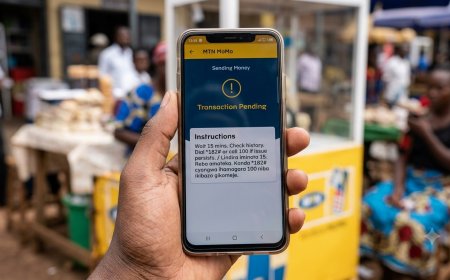
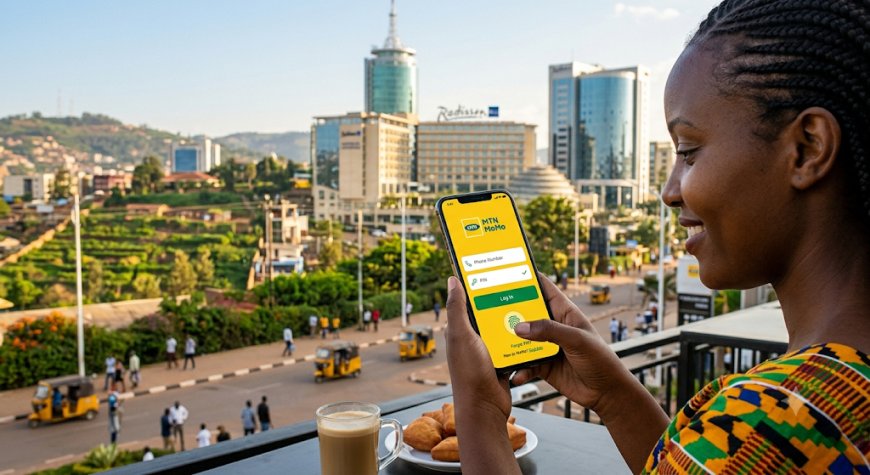
Looking for the MTN MoMo Rwanda login? MTN MoMo customers in Rwanda can access their Mobile Money account through the official MoMo App or through the *182# USSD service.
This guide explains how to log in to MTN MoMo, what to do if you forget your PIN, how to access MoMo without the app, common login problems, and important security tips for protecting your Mobile Money account.
Table of Contents
- MTN MoMo Rwanda Login Options
- How to Log In to MTN MoMo App
- How to Access MTN MoMo Using *182#
- What You Need to Log In
- What If You Forget Your MoMo PIN?
- Logging Into MoMo on a New Phone
- What If You Changed Your MTN Number?
- MTN MoMo Login Problems and Solutions
- MoMo App vs *182#
- MTN MoMo Login Security Tips
- MTN MoMo Customer Care
- Frequently Asked Questions
- Related Fyndin Guides
MTN MoMo Rwanda Login Options
There are two main ways to access MTN MoMo services in Rwanda:
| Method | What You Need | Internet Required? |
|---|---|---|
| MoMo App | Compatible smartphone and registered MTN MoMo account | Yes |
| *182# USSD | Registered MTN number and MoMo PIN | No |
The official MTN Rwanda MoMo App is available for both Android and iOS. MTN also continues to provide MoMo access through *182#, which is particularly useful when you do not have mobile data or do not want to use the application.
How to Log In to the MTN MoMo App
If you already have the official MTN MoMo App installed, you can use it to access your MoMo account and available services.
Step 1: Open the MoMo App
Open the official MTN MoMo App on your Android or iPhone.
Make sure you are using the official application rather than an unofficial app claiming to provide MTN MoMo services.
Step 2: Enter the requested account details
Follow the login or authentication instructions displayed by the application.
The exact login screen can change when MTN releases new versions of the app, so follow the current instructions shown on your device.
Step 3: Complete verification if requested
MTN may require additional verification depending on your account, device or security process.
Never share a verification code or security credential with another person.
Step 4: Access your MoMo account
Once authentication is successfully completed, you can access the available MoMo services from the application.
MTN's official MoMo App supports services such as money transfers and bill payments. Its published bill-payment instructions include RRA, water, electricity and Startimes payments.
How to Access MTN MoMo Using *182#
You do not need the MoMo App to access the basic MTN MoMo service.
MTN Rwanda's official website identifies *182# as the main MoMo USSD code.
Steps to access MoMo through USSD
- Open the dialer on your MTN phone.
- Dial *182#.
- Press the call button.
- Wait for the MoMo menu to appear.
- Select the service you need.
- Follow the instructions displayed on your screen.
- Enter your MoMo PIN when requested.
USSD does not require mobile data or Wi-Fi. However, your phone must have access to the MTN mobile network.
What You Need to Log In to MTN MoMo
The requirements depend on whether you use the application or USSD.
For the MoMo App
- A compatible Android or iOS smartphone
- The official MTN MoMo App
- A registered MoMo account
- Your registered MTN mobile number
- Internet connectivity
- Any security verification requested by the app
For *182#
- An active MTN Rwanda mobile number
- A registered MoMo account
- Your MoMo PIN
- MTN network coverage
What If You Forget Your MTN MoMo PIN?
Your MoMo PIN is a security credential used to protect your Mobile Money account. If you cannot remember it, do not repeatedly guess the PIN or give it to another person.
Instead, use the official MTN support channels or the available account-recovery process provided by MTN.
If you have forgotten your PIN
- Stop entering random PINs.
- Contact MTN customer care through the official support channel.
- Explain that you cannot access your MoMo account.
- Follow the identity-verification instructions provided by MTN.
- Never disclose your existing PIN to anyone.
For a detailed guide, see Fyndin's article on how to reset or change your MTN MoMo PIN in Rwanda.
Logging Into MoMo on a New Phone
If you have purchased a new smartphone, you may need to complete the appropriate authentication or verification process before accessing the MoMo App.
The safest approach is to install the official MoMo App and follow the instructions shown by MTN.
Remember that moving your SIM card to another phone does not mean that you should share your PIN with anyone helping you set up the device.
Before using a new phone
- Install the official MoMo App.
- Make sure your MTN SIM is active.
- Use your own registered number.
- Complete any security verification requested.
- Do not allow another person to see your PIN.
- Remove access from an old device if you believe your account may be compromised.
What If You Changed Your MTN Number?
Your MoMo account is associated with a registered mobile number. If you have changed your MTN number, do not assume that your previous MoMo account will automatically move to the new number.
Contact MTN through its official customer-care channels and ask about the correct process for your account.
When contacting support, be prepared to complete the identity verification required by MTN.
MTN MoMo Login Problems and Solutions
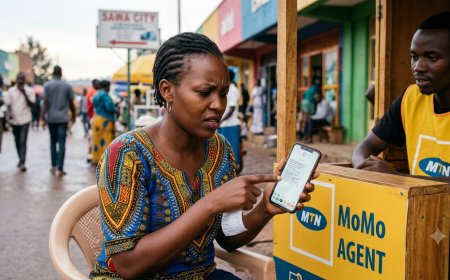
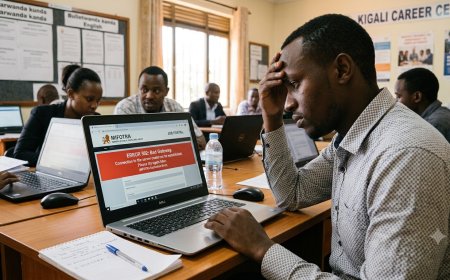
Sometimes customers may be unable to access MoMo because of network problems, application issues, incorrect credentials or account-related restrictions.
1. The MoMo App is not opening
First, check whether your phone has an active internet connection. Then close and reopen the application.
If the problem continues, check whether an updated version of the official application is available.
2. The app keeps loading
Check your mobile data or Wi-Fi connection. You can also try switching between Wi-Fi and mobile data to determine whether the problem is related to connectivity.
3. *182# is not responding
USSD depends on your mobile network connection. Check your MTN signal and try dialing *182# again.
If other MTN services are also unavailable, there may be a temporary network issue.
4. Your PIN is rejected
Do not continue entering random PINs. If you believe you have forgotten your PIN or it has become blocked, contact MTN through the official support process.
5. You changed your phone
Use the official MoMo App on your new device and complete the security or authentication steps requested by MTN.
6. You suspect someone has accessed your account
Contact MTN immediately and report the security concern. Do not share your PIN or other sensitive credentials with anyone claiming they can fix the problem.
MTN MoMo App vs *182#
Both options provide access to MoMo, but they are useful in different situations.
| Feature | MoMo App | *182# |
|---|---|---|
| Internet required | Yes | No |
| Smartphone required | Yes | No |
| Works on basic phones | No | Yes |
| Visual interface | Yes | No |
| Money transfers | Yes | Yes |
| Bill payments | Yes | Yes |
If you have a smartphone and reliable internet access, the MoMo App can provide a more convenient visual experience.
If you are using a basic phone or have no internet connection, *182# is the practical alternative.
MTN MoMo App Is Different From MyMTN App
One common source of confusion is the difference between the MTN MoMo App and the MyMTN App.
They are not simply two names for the same application.
- MoMo App: designed around Mobile Money services and transactions.
- MyMTN App: provides broader MTN account and mobile services, including airtime, data and other account-management features.
If your goal is specifically to access Mobile Money services, make sure you are using the official MoMo application.
What Can You Do After Accessing MTN MoMo?
Once you have successfully accessed your MoMo account, available services can include:
- Sending money
- Receiving money
- Buying airtime
- Paying bills
- Making MoMo Pay payments
- Accessing supported financial services
- Using available remittance services
- Managing supported MoMo products
The exact services available to you can depend on your account, eligibility, current MTN products and the channel you are using.
MTN MoMo Login Security Tips
Mobile Money accounts contain real financial value, so account security should be treated seriously.
Never share your PIN
Your MoMo PIN should remain private. Do not give it to friends, relatives, agents, sellers or people calling you unexpectedly.
Beware of fake MTN support
Fraudsters may claim that they are calling from MTN and ask for account information, PINs or verification codes.
If you receive a suspicious call, end the conversation and contact MTN using an official support channel.
Verify transactions
Before confirming a transaction, carefully check:
- The recipient's phone number
- The amount
- The transaction type
- Any displayed charges
Protect your smartphone
Use a screen lock and avoid installing applications from unknown sources. Download financial applications only from trusted official app stores and verify that you are using the legitimate MTN application.
MTN MoMo Customer Care Rwanda
If you cannot access your account or have a serious MoMo problem, MTN Rwanda provides official customer-support channels.
| Support Channel | Details |
|---|---|
| MTN Customer Care | 100 |
| WhatsApp Support | +250 788 310 044 |
MTN's official website also provides options for reporting MoMo fraud and submitting MoMo complaints.
For account-specific problems, use MTN's official support channels rather than relying on unofficial social-media accounts or individuals claiming to be agents.
How to Keep Your MTN MoMo Account Safe
- Keep your PIN secret.
- Never disclose OTPs or security codes.
- Check transaction details before confirming.
- Do not follow suspicious instructions from unknown callers.
- Use the official MoMo App.
- Keep your smartphone protected with a screen lock.
- Report suspicious activity quickly.
- Contact MTN directly when you are unsure about an account problem.
Frequently Asked Questions
What is the MTN MoMo Rwanda login?
MTN MoMo login refers to accessing your Mobile Money account through the official MoMo App or through MTN's USSD service.
How do I log in to MTN MoMo Rwanda?
You can access MoMo through the official MoMo App by following its authentication instructions, or dial *182# from your registered MTN number to access the USSD menu.
Can I access MTN MoMo without the app?
Yes. Dial *182# from your registered MTN number to access the MoMo USSD service.
Does MTN MoMo login require internet?
If you use the MoMo App, an internet connection is required. The *182# USSD service does not require mobile data or Wi-Fi.
What is the MTN MoMo USSD code in Rwanda?
The main MTN MoMo USSD code is *182#.
What should I do if I forget my MoMo PIN?
Do not share your PIN or repeatedly guess it. Contact MTN through its official customer-care channels and follow the account-recovery instructions provided.
Can I use MTN MoMo on a basic phone?
Yes. You can access MoMo services through *182# without needing a smartphone.
What number can I call for MTN MoMo support?
MTN Rwanda lists 100 as its toll-free customer-care number.
What is the official MTN MoMo WhatsApp number?
MTN Rwanda currently lists +250 788 310 044 for WhatsApp support.
Is the MoMo App the same as MyMTN?
No. The MoMo App is focused on Mobile Money services, while MyMTN provides broader MTN account and mobile-service functionality.
Related Fyndin MTN MoMo Guides
- MTN MoMo Rwanda App 2026: Download, Login & How to Use
- MTN MoMo Rwanda Code 2026: Complete USSD Guide
- MTN MoMo Rwanda Tariff 2026: Complete Fees & Charges
- How to Check MTN MoMo Transaction History in Rwanda
- How to Reset or Change Your MTN MoMo PIN in Rwanda
- How to Reverse a Wrong MTN MoMo Transaction in Rwanda
- MTN MoMo Virtual Card Rwanda 2026
Final Takeaway
The easiest way to access MTN MoMo Rwanda depends on the device and connectivity available to you.
For smartphone users, the official MTN MoMo App provides a convenient way to access Mobile Money services. For users without internet access or those using basic phones, *182# remains the main MTN MoMo USSD gateway.
If you cannot log in, avoid sharing your PIN or security information with anyone. Instead, use MTN's official customer-support channels and follow the appropriate account-recovery process.
Editorial note: This article was prepared using MTN Rwanda's published information and was updated in September 2026. MTN may change application features, authentication procedures, USSD menus, eligibility requirements or support processes. Always follow the latest instructions displayed by MTN.
What's Your Reaction?
 Like
0
Like
0
 Dislike
0
Dislike
0
 Love
0
Love
0
 Funny
0
Funny
0
 Angry
0
Angry
0
 Sad
0
Sad
0
 Wow
0
Wow
0