




































Irembo Application Status 2026: Complete Guide to Pending, Rejected, Approved & Payment Issues
Learn what every Irembo application and payment status means in 2026, including pending, submitted, request for action, resubmitted, rejected, approved and payment expired.


Irembo Application Status 2026: Complete Guide to Pending, Rejected, Approved & Payment Issues
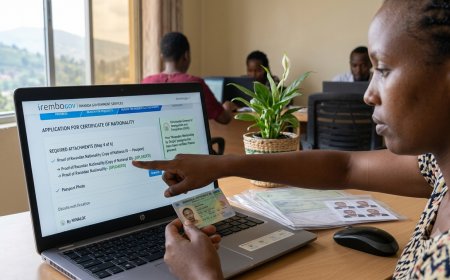
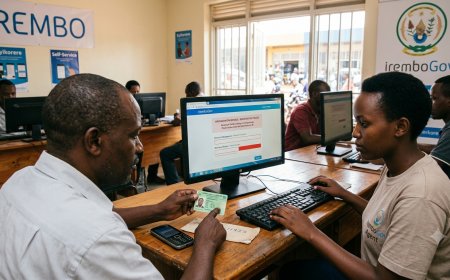
Submitting an application on IremboGov does not always mean the service is immediately completed. Depending on the service, your application may pass through several stages before a government institution approves it and, where applicable, issues an electronic certificate.
This is why checking an Irembo application status is important. A status such as Submitted, Payment Pending, Request for Action, Resubmitted, Rejected or Approved can mean very different things.
In some cases, applicants make the mistake of submitting a second application when the first one is simply waiting for processing. In other situations, an applicant sees a payment problem and assumes the application has been rejected. Understanding the status first can prevent unnecessary applications, duplicate payments and delays.
What Is an Irembo Application Status?
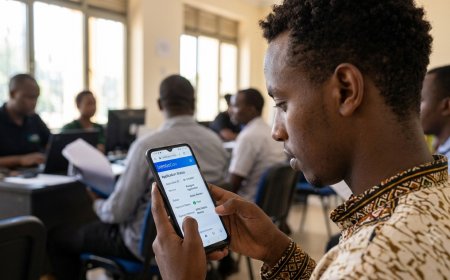
An Irembo application status tells you what stage your request has reached in the government service process.
IremboGov is the digital platform used to access services provided by different government institutions. The institution responsible for a particular service—not simply Irembo itself—may be responsible for reviewing and approving the application.
For that reason, an application remaining at Submitted does not necessarily mean that Irembo has rejected or lost it. It can mean that the responsible institution has not yet completed its processing.
What You Need Before Checking Your Irembo Status
Keep at least one of the following from your application:
- Application number
- Billing Number/ID
- The phone number or email address used during the application
- Your IremboGov account login details, if the service requires an account
Your application number is particularly important for following an application through the processing stage.
How to Check Irembo Application Status Online
You do not always need to log into your account simply to see the basic status of an application.
Method 1: Use Find Application
- Go to the official IremboGov platform.
- Select Find Application.
- Enter your Application Number or Billing Number/ID.
- Click the search button.
- Review the application or payment status displayed.
Irembo's current support guidance says that when you are not logged in, the search can show the payment or application status, while additional application information is available when you log into your account.
Method 2: Check From Your Irembo Account
- Open IremboGov and select Login.
- Enter your registered phone number and password.
- Open the profile menu.
- Select Applications.
- Search using your application number or Billing ID.
- Open the application to see its current status and available actions.
The actions available can change depending on the application's current status.
Irembo Application Status Meanings Explained
The status is the most important piece of information when deciding what to do next. Here is how to interpret the major statuses currently described by IremboGov.
| Status | What it means | What you should do |
|---|---|---|
| Submitted | The application has been submitted but has not yet completed processing. | Wait and monitor the application. |
| Payment Pending | The Billing Number has not yet been paid. | Complete payment before the Bill ID expires. |
| Payment Expired | The Billing Number has expired. | Re-apply for the service as instructed. |
| Request for Action | The applicant has been asked to make changes, corrections or additions. | Read the feedback and provide the requested correction. |
| Resubmitted | A corrected application has been sent back to the processing office. | Wait for the institution to review it again. |
| Rejected | The responsible institution has declined the application. | Read the rejection feedback before deciding whether to correct or submit another application. |
| Approved | The application has been approved. | If it is an e-certificate service, download the certificate. |
These meanings are based on IremboGov's current support documentation, updated in May 2026.
What Does “Submitted” Mean on Irembo?
Submitted is one of the statuses most likely to cause confusion.
It generally means the application has been submitted and is awaiting processing by the institution responsible for that service.
For services handled by the Directorate General of Immigration and Emigration (DGIE), Irembo explains that a submitted application may be under institutional processing or may already have been approved, with the applicant notified when appropriate.
For other services, the submitted status means the application has not yet been processed by the institution providing the service.
What Does “Payment Pending” Mean?
Payment Pending means the Billing Number has not yet been paid.
This is different from an application being rejected.
If you completed the application but did not complete payment, the application may remain unpaid until the Billing Number expires. Irembo allows applicants to pay immediately after applying or find the application later and complete payment before the Bill ID expires.
What Should You Do?
- Find your application.
- Confirm that the Billing Number is still active.
- Choose an available payment method.
- Complete the payment.
- Check that the payment status changes successfully.
- Keep your payment confirmation or receipt.
What Does “Payment Expired” Mean?
If your Billing Number shows Payment Expired, Irembo's current guidance says that the Billing Number has expired and the applicant needs to re-apply.
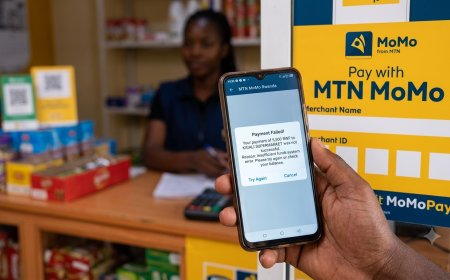
This is different from a payment failure after money has already been deducted. If money was deducted from your account but the Irembo application still shows an unpaid or failed state, you should keep the payment evidence and investigate the payment issue rather than automatically paying again.
What Does “Request for Action” Mean?
Request for Action is an important status because it means the processing institution has requested something from the applicant.
According to IremboGov, this can involve:
- Correcting information
- Adding missing information
- Providing additional information
- Making other requested changes to the application
Do not ignore this status. An application requiring action can remain incomplete until the requested correction is addressed.
What Does “Resubmitted” Mean?
Resubmitted generally means that the applicant has made the requested correction and sent the application back to the responsible processing office.
At this stage, repeatedly editing or submitting another application is usually unnecessary unless the processing institution specifically instructs you to do so.
The correct approach is to monitor the resubmitted application and wait for the next decision.
What Does “Rejected” Mean on Irembo?
A Rejected status means the institution responsible for the service has declined the application.
IremboGov says applicants will typically receive feedback explaining the reason for rejection.
This is where applicants need to distinguish between a genuine rejection and a technical or payment problem.
If the application is actually rejected, simply submitting the same information again may produce the same result. First identify:
- What information was considered incorrect
- Whether a required document was missing
- Whether an attachment was unacceptable
- Whether the applicant did not meet the service requirements
- Whether the institution requested a specific correction
Correct the underlying issue before submitting a new application, where the service permits a new application.
What Does “Approved” Mean?
Approved means the application has been accepted by the responsible institution.
For services that issue an electronic certificate, an approved application can allow the applicant to download the e-certificate through IremboGov.
Approval does not necessarily mean every service is completed in exactly the same way. Some services provide an electronic document, while others may require a physical collection, appointment or additional step.
How to Download an Irembo E-Certificate After Approval
If your application has been approved and the service produces an e-certificate, you can use the download option available for the application.
- Log into your IremboGov account.
- Open your profile.
- Select Applications.
- Search for the application or Billing ID.
- Open the application.
- Select the download option.
- Choose Download Certificate.
Irembo also provides a process for applicants who are not logged in. In that situation, an OTP/password verification can be sent to the phone number or email associated with the application before downloading a receipt or e-certificate.
Why Can't I Download My Irembo Certificate?
An approved application does not automatically mean the download will work without verification.
Check the following:
- Is the application actually marked Approved?
- Is the service an electronic certificate service?
- Are you using the correct application or Billing number?
- Are you logged into the correct Irembo account?
- Can you receive the OTP sent to your registered phone or email?
- Has the OTP expired?
Irembo's download instructions state that if an OTP expires, the applicant can request another one.
Irembo Payment Pending After I Already Paid
This situation needs more care.
If money has already been deducted from your mobile-money account, bank account or card but Irembo still displays an unpaid status, do not immediately make another payment without checking what happened to the first transaction.
First collect:
- Billing Number/ID
- Application number
- Payment confirmation
- Transaction ID/reference
- Date and approximate time of payment
- Payment channel used
- Amount paid
This information makes it much easier for support teams to investigate a payment discrepancy.
What If Your Irembo Application Is Delayed?
A delayed application should be handled differently from a rejected application.
Before contacting support, check:
- The exact application status.
- The service's published processing time.
- Whether a Request for Action has been issued.
- Whether payment was successfully completed.
- Whether the institution has requested an appointment or additional document.
- Whether Irembo has published a system-status notice affecting the service.
IremboGov maintains a public system-status page showing the operational condition of different services and components, including applications, login, payments, notifications and individual government-service integrations.
When Should You Contact Irembo Support?
Contacting support becomes more useful when you can provide evidence of the exact problem.
For example, support can investigate more effectively when you provide the relevant application number, Billing ID and payment evidence instead of simply saying that “Irembo is not working.”
For Payment Problems
Keep the Billing Number and proof of payment.
For Delayed Applications
Provide the application number or Billing Number and explain how long the application has remained at the relevant status.
For Certificate Download Problems
Provide the application number or Billing Number and explain whether the problem occurs before or after OTP verification.
Irembo's diaspora support guidance specifically identifies application/payment numbers and proof of payment as useful information when escalating payment and application problems.
Can You Check Irembo Status Without Logging In?
Yes, in many cases you can use the Find Application function with the application number or Billing Number/ID.
However, being logged into the account provides access to additional application information and account-level actions. Irembo's guidance also notes that downloading receipts and e-certificates involves account access or verification.
How Irembo Application Status Works for Different Services
One reason applicants sometimes misunderstand Irembo statuses is that Irembo is a platform connecting applicants with different government institutions.
The processing institution can therefore differ depending on the service.
| Service type | Possible processing institution | What this means |
|---|---|---|
| Civil/family services | Local government/MINALOC-related offices | Processing may involve local government authorities. |
| Immigration | DGIE | The application may require institutional review or a later appointment. |
| Investigation/clearance services | RIB | The application is processed by the responsible RIB office. |
| Education services | Relevant education institution | Processing depends on the specific service. |
This is why the same status can have slightly different practical implications depending on the service being requested.
Irembo Status Troubleshooting Decision Guide
If you are unsure what to do, use this simple decision process:
- Payment Pending? → Check whether the Bill ID is still active and complete payment.
- Payment Expired? → Irembo says you need to re-apply.
- Submitted? → Check the expected processing time and wait for the responsible institution.
- Request for Action? → Read the feedback and make the requested correction.
- Resubmitted? → Wait for the processing office to review the corrected application.
- Rejected? → Read the rejection reason before submitting another application.
- Approved? → Download the e-certificate if the service provides one.
- Paid but still showing unpaid? → Keep payment evidence and escalate the payment issue rather than blindly paying again.
How to Avoid Irembo Application Problems
Many application problems can be prevented before pressing the Submit button.
Check Your Information
Make sure names, identification numbers, dates, addresses and contact information are accurate.
Use the Correct Documents
Read the attachment requirements before uploading documents. An application can be delayed when required information or documentation is missing.
Keep Your Application Number
Do not delete the SMS or email containing your application details immediately after submission.
Keep Payment Evidence
Save your payment confirmation until the service has been completed.
Monitor Your Notifications
Use a phone number and email address that you can actually access. Status changes, requests for action and approval notifications may be sent through the contact information associated with the application.
Irembo Application Status for Rwandans Living Abroad
Rwandans living outside Rwanda can also use IremboGov for eligible services, but account and payment arrangements can differ from those used by residents in Rwanda.
Irembo's diaspora guidance explains that some services can be accessed without an IremboGov account, while others require an account. It also provides specific support channels for diaspora applicants.
For diaspora applicants, keeping the application number, Billing ID and payment evidence is particularly important because resolving a problem remotely can be more difficult than visiting an Irembo agent or government office in Rwanda.
Frequently Asked Questions
How do I check my Irembo application status?
Visit IremboGov, select Find Application and enter your application number or Billing Number/ID. You can also log into your account and search under Applications.
What does Submitted mean on Irembo?
It generally means the application has been submitted and is awaiting processing by the responsible institution. For some DGIE services, the application may already have been approved but the applicant is waiting for notification.
What does Payment Pending mean?
It means the Billing Number has not yet been paid. If the Bill ID is still active, complete the payment before it expires.
What does Payment Expired mean?
It means the Billing Number has expired. Irembo's current guidance says the applicant needs to re-apply.
What does Request for Action mean?
It means the applicant has received a request to make changes, corrections or additions to the application.
What does Resubmitted mean?
It means a corrected application has been sent again to the processing office.
What does Rejected mean?
It means the responsible institution has declined the application. Check the feedback explaining the reason before deciding what to do next.
Can I download my Irembo certificate after approval?
For services that provide e-certificates, an approved application can allow you to download the certificate. Irembo may require account login or verification through an OTP.
What should I do if I paid but Irembo still says Payment Pending?
Do not immediately pay a second time. Keep your Billing ID and payment proof, verify the transaction and contact the appropriate support channel if the payment does not update.
Can I check Irembo status without an account?
You can generally search an application using the Find Application function and the application number or Billing Number/ID. Some actions, such as downloading a receipt or e-certificate, may require login or verification.
Final Takeaway
An Irembo application status is more than a simple progress indicator. It tells you whether you need to pay, wait, correct information, resubmit an application, investigate a rejection or download an approved electronic document.
The safest approach is to read the exact status before taking action. In particular, do not confuse Submitted with rejected, Payment Pending with failed application processing, or Request for Action with a final rejection.
Keep your application number, Billing ID and payment evidence until the service is completely finished. If something goes wrong, those records provide the information needed to trace the application or payment.
Official Sources
- IremboGov — How to Track an Application or Payment Status
- IremboGov — How to Search for an Application
- IremboGov — How to Download an E-Certificate and Receipt
- IremboGov — How to Pay for a Service
- IremboGov — IremboGov System Status
- IremboGov — Support for Rwandans Living Abroad
What's Your Reaction?
 Like
0
Like
0
 Dislike
0
Dislike
0
 Love
0
Love
0
 Funny
0
Funny
0
 Angry
0
Angry
0
 Sad
0
Sad
0
 Wow
0
Wow
0