






























MTN Rwanda MoMo Statement 2026: How to Get Your Transaction Statement
Get your MTN Rwanda MoMo statement in 2026. Learn how to check your Mini Statement, find older transactions, request records and report transaction issues.


MTN Rwanda MoMo Statement 2026: How to Get Your Transaction Statement
Last updated: September 15, 2026
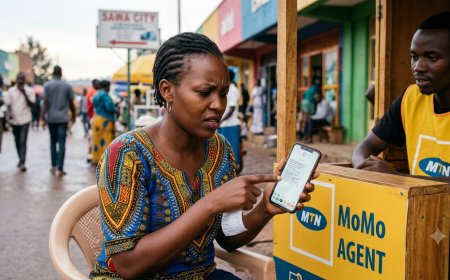
Looking for your MTN Rwanda MoMo statement? Whether you want to review money you sent, payments you made, withdrawals, deposits, or other wallet activity, MTN provides several ways to access transaction information.
The important distinction is between a Mini Statement for checking account activity and a more formal MoMo Statement when you need a broader transaction record. MTN Rwanda's published MoMo documentation lists Mini Statement among its self-service services, while its customer-service documentation also covers MoMo statement requests.
Quick answer: If you only want to check recent MoMo activity, use the available MoMo self-service options, including the Mini Statement. If you need a more formal MoMo statement or cannot find the transaction information you need, contact MTN Rwanda through customer care or visit an MTN Service Centre.
Table of Contents
- What Is an MTN MoMo Statement?
- MoMo Statement vs Mini Statement
- How to Check Your MTN MoMo Transaction Information
- How to Request a Formal MoMo Statement
- What You May Need
- How to Find Older Transactions
- Use Your MTN MoMo SMS Records
- Can the MTN MoMo App Show Transactions?
- What to Do If a Transaction Is Missing
- What to Do About an Unauthorized Transaction
- MoMo Statements for Businesses
- MTN Rwanda Customer Support
- Frequently Asked Questions
What Is an MTN MoMo Statement?
An MTN MoMo statement is a record of activity associated with your MoMo wallet.
Depending on the type of transaction record you need, it can help you review activities such as:
- Money sent to another person
- Money received
- Cash withdrawals
- Cash deposits
- Merchant payments
- Bill payments
- Other MoMo wallet transactions
A transaction record can be especially useful when you need to investigate a payment, reconcile your finances, or provide evidence about a particular transaction.
MTN MoMo Statement vs Mini Statement
One of the most important things to understand is that a Mini Statement and a full or formal statement are not necessarily the same thing.
| Feature | Mini Statement | MoMo Statement |
|---|---|---|
| Main purpose | Quick account activity check | More detailed transaction record |
| Best for | Checking recent activity | Records, investigations and reconciliation |
| Access | Self-service options | Customer-service channels may be required |
| Convenience | Fast for everyday checking | Better when you need a specific or broader record |
MTN Rwanda's MoMo Service Charter specifically lists Mini Statement under self-service options.
How to Check Your MTN MoMo Transaction Information
If you only need to confirm your recent transactions, you may not need to request a formal statement.
Start with the MoMo self-service options available on your MTN line. MTN Rwanda's official documentation includes Mini Statement as a self-service feature.
Using USSD
MTN Rwanda's main MoMo service is accessed through *182#. From the MoMo menu, follow the available options for checking your account information or transaction activity.
Because USSD menus can be updated, follow the menu displayed on your phone rather than relying on an old numbered sequence from an online article.
Using the MTN MoMo App
The MTN MoMo App is available for both Android and iOS and provides access to several MoMo services, including sending money and making bill payments.
If your purpose is simply to review a recent transaction, check the transaction information available through your current version of the app.
For a formal statement request, however, do not assume that an app transaction screen is automatically equivalent to an official statement.
How to Request a Formal MTN Rwanda MoMo Statement
If you need a more formal record, the safest approach is to contact MTN Rwanda through its official customer-service channels or visit an MTN Service Centre.
Step 1: Identify the period you need
Before making the request, determine the period or transactions you need.
For example:
- Transactions from September 1 to September 15
- A specific payment made several weeks ago
- All transactions related to a particular period
- A record needed for a financial dispute
Step 2: Prepare your identification
Have your identification available if MTN requires it to verify your account.
For account-related requests, you may also need the MTN number associated with the MoMo wallet.
Step 3: Contact MTN or visit a Service Centre
Explain that you need your MoMo transaction statement and provide the information requested by the customer-service representative.
Step 4: Specify exactly what you need
If you are looking for a particular transaction, provide as much information as possible, such as the date, amount, recipient or sender and transaction reference.
Step 5: Check the information received
After receiving your transaction record, compare it with your SMS confirmations and personal records.
What You May Need to Request a MoMo Statement
Requirements can depend on the type of request and whether you are requesting information for yourself or a business.
For an account-related request, it is sensible to have:
- Your MTN phone number
- Your valid identification document
- Your MTN SIM or phone where appropriate
- The approximate transaction date
- The transaction amount
- The transaction reference, if available
MTN may ask for additional information to verify that you are authorized to receive the requested account information.
How to Find Older MTN MoMo Transactions
If you are searching for an old transaction, start by checking whether you still have the original MTN confirmation SMS.
If the SMS is unavailable or does not contain enough information, contact MTN Rwanda and explain that you need transaction information for a specific date or period.
For older or disputed transactions, giving MTN a precise date, amount and transaction reference can make the investigation easier.
Use Your MTN MoMo SMS Records
MTN MoMo transaction notifications can be useful when checking individual transactions. MTN's current MoMo terms also state that customers are notified of transactions by SMS.
For important transactions, consider keeping the confirmation message until you no longer need it.
A transaction notification may help you identify:
- Transaction amount
- Date and time
- Transaction reference
- Recipient or sender information
- Updated wallet balance
However, an individual SMS should not automatically be treated as a replacement for a formal transaction statement.
Can the MTN MoMo App Show Your Transactions?
The MTN MoMo App provides customers with access to various MoMo services and is available on Android and iOS.
If you are trying to confirm a recent transaction, the app may be more convenient than USSD depending on the features available in your current version.
However, there is an important distinction:
Transaction information shown in an app is not automatically the same as a formal statement. If you need an official record for a dispute, accounting purpose or other formal requirement, contact MTN Rwanda and ask which statement format is appropriate.
What to Do If a Transaction Is Missing
If a transaction you expected to see does not appear, do not immediately assume that your money has disappeared.
1. Check the transaction SMS
Look for the confirmation message received when the transaction was completed.
2. Confirm the phone number
Make sure you are checking the correct MTN number and MoMo wallet.
3. Check the amount and date
Confirm whether the transaction occurred on the date and for the amount you remember.
4. Keep the reference number
If you have a transaction reference, keep it available when contacting MTN.
5. Contact MTN Rwanda
If you still cannot resolve the issue, contact MTN customer care on 100 or use one of MTN Rwanda's official support channels.
What to Do About an Unauthorized MTN MoMo Transaction
If you see a transaction that you did not authorize, treat it as a security issue.
- Do not share your MoMo PIN with anyone.
- Contact MTN Rwanda immediately.
- Keep the transaction SMS and reference number.
- Record the amount and date of the suspicious transaction.
- Use MTN Rwanda's official MoMo fraud-reporting process where appropriate.
MTN Rwanda currently provides a dedicated Report MoMo Fraud form for customers.
You can also submit a MoMo complaint through MTN Rwanda's official complaints service.
MTN MoMo Statements for Businesses
Businesses may need MoMo transaction information for:
- Daily reconciliation
- Customer payment verification
- Accounting
- Financial reporting
- Dispute resolution
- Tracking incoming payments
If your business processes a large number of payments, manually checking individual transaction messages can become inefficient.
In that situation, businesses building software systems may want to explore MTN's MoMo API and other business payment solutions.
See our MTN Rwanda MoMo API guide to learn how automated mobile-money integration works.
MTN Rwanda Customer Support
If you need help accessing transaction information or resolving a MoMo problem, MTN Rwanda currently lists the following official support channels:
| Support option | Current information |
|---|---|
| Customer care | 100 |
| customercare.rw@mtn.com | |
| +250 788 310 044 | |
| Service Centre | Visit an MTN Rwanda Service Centre |
MTN Rwanda's current website lists 100 as its toll-free customer-care number and +250 788 310 044 for WhatsApp support.
Frequently Asked Questions
How do I get an MTN MoMo statement in Rwanda?
For routine transaction checking, use the available MoMo self-service options, including Mini Statement. If you require a more formal statement or additional transaction information, contact MTN Rwanda customer care or visit an MTN Service Centre.
What is the MTN MoMo statement code in Rwanda?
MTN Rwanda's main MoMo USSD service is *182#. Because the menu can change, use the options currently displayed on your phone rather than relying on an outdated menu number.
Can I check my MTN MoMo transaction history?
Yes. MTN Rwanda provides self-service options for checking MoMo activity, including Mini Statement. You can also retain transaction SMS confirmations for individual payments.
Can I get a full MTN MoMo statement from the app?
The MoMo App provides access to various MoMo services, but you should not automatically treat the transaction information displayed in the app as a formal statement. If you need an official statement, confirm the current process with MTN Rwanda.
How far back can I get MTN MoMo transactions?
The available period can depend on the specific transaction-information service and the type of statement requested. If you need older transactions, contact MTN Rwanda and specify the exact period you need.
What should I do if my MTN MoMo statement has an error?
Keep the relevant transaction reference, SMS confirmation and other details, then contact MTN Rwanda through customer care or an official complaint channel.
What is MTN Rwanda's MoMo customer-care number?
MTN Rwanda currently lists 100 as its toll-free customer-care number. It also lists WhatsApp support at +250 788 310 044.
Can I request a statement for a business MoMo account?
Businesses may have different account and authorization requirements. Contact MTN Rwanda and explain that you need transaction information for a business or corporate account.
Related MTN MoMo Guides on Fyndin
- How to Check MTN MoMo Transaction History in Rwanda
- MTN MoMo Rwanda Code: Complete USSD Guide 2026
- MTN MoMo Rwanda App: Download, Login & How to Use It
- MTN MoMo Rwanda Login: How to Access Your Account
- MTN MoMo Pay Rwanda: How It Works, Fees & Payments
- MTN Rwanda MoMo API: How to Integrate Payments
Final Takeaway
If you simply want to check recent MTN MoMo activity, the Mini Statement and other self-service options are the quickest place to start.
If you need a more formal or specific transaction record, contact MTN Rwanda through 100, WhatsApp, email or an MTN Service Centre and explain exactly what information you need.
For important transactions, keep your SMS confirmations and transaction references. If you notice an unauthorized transaction, report it to MTN as soon as possible rather than waiting.
Editorial note: This guide is based on MTN Rwanda's published service information available at the time of writing. MTN can change USSD menus, digital features, service procedures and support channels. Always verify the latest instructions through MTN Rwanda's official channels.
What's Your Reaction?
 Like
0
Like
0
 Dislike
0
Dislike
0
 Love
0
Love
0
 Funny
0
Funny
0
 Angry
0
Angry
0
 Sad
0
Sad
0
 Wow
0
Wow
0