































How to Check MTN MoMo Transaction History in Rwanda 2026
Learn how to check your MTN MoMo transaction history in Rwanda using USSD, the MoMo App, or by requesting a full statement from MTN.


How to Check MTN MoMo Transaction History in Rwanda 2026
If you use MTN MoMo regularly, you may sometimes need to check a payment you made, confirm money you sent or received, verify a withdrawal, or find an older transaction.
MTN MoMo provides several ways to access transaction information, including USSD services, the MoMo App, and full statements through MTN service channels.
In this guide, you will learn how to check MTN MoMo transaction history in Rwanda, how to get a more detailed MoMo statement, and what to do if you cannot find a particular transaction.
What Is MTN MoMo Transaction History?
MTN MoMo transaction history is a record of activity carried out through your mobile-money account.
Depending on the type of statement or transaction record you access, it can help you verify activities such as:
- Money sent to another person
- Money received from another person
- Cash withdrawals
- Deposits
- Merchant payments
- Bill payments
- Other transactions made through your MoMo account
A mini statement is useful when you want to check recent activity, while a full statement provides a broader record for the period requested.
How to Check MTN MoMo Transaction History Using *182#
You can access MTN MoMo services without mobile internet by using USSD.
Step 1: Dial *182#
Open the phone dialer on the MTN number registered with your MoMo account and dial:
*182#
Step 2: Open Your Account Options
Look through the MoMo menu displayed on your phone and select the option related to My Account, statement, or transaction information.
Because MTN can update its USSD menu, the exact menu number or wording may change. Always follow the options currently displayed on your phone.
Step 3: Follow the Instructions
Follow the instructions displayed on your phone. Depending on the service, you may need to confirm your MoMo PIN.
Important: Never give your MoMo PIN to another person, including someone claiming to be an MTN agent or customer-care representative.
How to Get a Full MTN MoMo Statement in Rwanda
If you need transactions that are older than the recent activity shown by your account, you may need a full MoMo statement.
MTN Rwanda's published documentation explains that customers can request a full statement showing transactions made through their MoMo account during a requested period.
Option 1: Use Digital MoMo Services
Start by dialing *182# and checking the current account and statement options available on your number.
You can also use the MTN MoMo App, which allows customers to manage various MoMo services from a smartphone.
If MTN displays a statement-by-email option on your account, follow the instructions provided to request the statement.
Option 2: Visit an MTN Service Centre
If you need a detailed statement or the digital option does not work, you can visit an MTN Service Centre.
MTN's published MoMo Service Charter states that customers requesting a MoMo statement may need to appear physically and provide identification such as an ID, passport, or laissez-passer.
Requirements and procedures can change, so it is a good idea to confirm the current requirements with MTN before visiting.
Mini Statement vs Full MTN MoMo Statement
| Feature | Mini Statement | Full Statement |
|---|---|---|
| Purpose | Check recent activity | Review transactions over a requested period |
| Best for | Quick checks | Detailed transaction records |
| Access | USSD or MoMo App where supported | Supported digital channels or MTN Service Centre |
| Older transactions | May not be included | More suitable for older activity |
How to Find a Specific MTN MoMo Transaction
If you are looking for one particular transaction, you do not always need to request a full statement immediately.
- Check your SMS messages: Search your phone for the transaction notification.
- Check recent MoMo activity: Use the available statement or account option.
- Compare the amount: Check whether the amount matches the transaction you are looking for.
- Check the date: Make sure the transaction occurred on the date you remember.
- Request a full statement: If the transaction is older, a full statement may provide more information.
- Contact MTN: If you still cannot identify the transaction, contact MTN customer care.
What If an MTN MoMo Transaction Is Missing?
There are several reasons why you might not immediately see a transaction.
The Transaction Is Too Old
A mini statement is intended for recent activity. Older transactions may require a full statement.
You Are Checking the Wrong MTN Number
Make sure you are checking the MTN number connected to the MoMo account where the transaction was made.
You Deleted the Transaction SMS
Deleting a transaction notification from your phone does not necessarily mean that the transaction record is gone. If you need an official record, request a statement.
The Transaction Was Made Through Another MoMo Service
Some MoMo services can have their own transaction information. If you are looking for a particular payment or service transaction, check the relevant section of your MoMo account.
There May Be a Service Problem
If your balance or transaction history does not match what you expect, contact MTN Rwanda customer care for assistance.
How to Contact MTN Rwanda About a Missing Transaction
If you cannot identify a transaction or believe there is a problem with your MoMo account, contact MTN Rwanda through its official support channels.
- MTN Customer Care: 100
- MTN WhatsApp: +250 788 310 044
When contacting MTN, it can help to have the following information ready:
- Approximate transaction date
- Transaction amount
- Type of transaction
- Recipient or sender information, if applicable
- Transaction ID or SMS notification, if available
Never send your MoMo PIN to customer care or anyone claiming to investigate your transaction.
What to Do If You See an Unauthorized MoMo Transaction
If you check your transaction history and discover a transaction you did not make, take action quickly.
- Do not share your MoMo PIN with anyone.
- Contact MTN customer care immediately.
- Report the suspicious transaction.
- Provide the transaction details requested by MTN.
- Follow MTN's instructions to secure your account.
MTN Rwanda provides a dedicated channel for reporting suspected MoMo fraud.
Can I Check MTN MoMo Transactions Without Internet?
Yes. MTN MoMo provides USSD services, meaning you can access basic MoMo services without mobile data.
Simply dial *182# from your MTN number and follow the options displayed.
This is particularly useful when you do not have an internet connection or when your smartphone is unavailable.
Can I Check MTN MoMo Transaction History on the MoMo App?
Yes. MTN Rwanda provides a MoMo App for smartphones that allows customers to manage different MoMo services.
If you have the app installed, sign in using your MoMo account details and look for the transaction, account, or statement features currently available in the application.
MTN can change app features and menu locations over time, so use the latest version of the app for the most current options.
Is an MTN MoMo Statement Free in Rwanda?
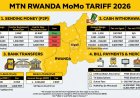
MTN Rwanda's tariff information lists the Account Statement from an MTN Service Centre at 0 RWF.
However, mobile-money services and charges can change. Always check MTN Rwanda's latest tariff information before requesting a service that may have a separate charge.
Why You Should Check Your MoMo Transaction History Regularly
Checking your transaction history is not only useful when you have a problem. It can also help you manage your money more effectively.
- Track your spending
- Confirm payments
- Verify money transfers
- Identify unexpected transactions
- Keep financial records
- Investigate failed or disputed transactions
- Detect suspicious activity earlier
If you use MoMo for business, checking transaction records can also help you reconcile payments received from customers.
Frequently Asked Questions
How do I check my MTN MoMo transaction history in Rwanda?
Dial *182# from your MTN number and use the account or statement options displayed on your MoMo menu. For older or more detailed transactions, request a full statement through a supported MoMo channel or an MTN Service Centre.
How do I get a full MTN MoMo statement?
You can use the digital statement options currently available through MoMo or visit an MTN Service Centre to request a statement.
Can I check my MTN MoMo history without internet?
Yes. Basic MoMo services can be accessed through USSD by dialing *182#, so mobile data is not required.
Can I get an MTN MoMo statement at an MTN Service Centre?
Yes. MTN's published documentation provides for customers to request MoMo statements through an MTN Service Centre, subject to identification and the applicable procedure.
Is the MTN MoMo account statement free?
MTN Rwanda's tariff information currently lists the account statement from an MTN Service Centre at 0 RWF. Always check the latest tariff information because charges and services can change.
What should I do if a MoMo transaction is missing?
Check your SMS notifications and recent transaction activity first. If you still cannot find it, request a fuller statement or contact MTN customer care on 100.
What should I do if I see a transaction I did not make?
Contact MTN immediately and report the suspicious transaction. Do not give your MoMo PIN to anyone.
What is the MTN MoMo customer-care number in Rwanda?
You can call 100 for MTN customer care. MTN Rwanda also provides WhatsApp support at +250 788 310 044.
Final Thoughts
Knowing how to check your MTN MoMo transaction history can save you time when you need to confirm a payment, find an older transaction, investigate a missing transfer, or monitor your spending.
For a quick check, start with *182#. If the transaction you need is not included in the recent activity available to you, use the available full-statement option or visit an MTN Service Centre.
Most importantly, make it a habit to review your MoMo activity and report suspicious transactions as soon as possible.
Official Sources
What's Your Reaction?
 Like
0
Like
0
 Dislike
0
Dislike
0
 Love
0
Love
0
 Funny
0
Funny
0
 Angry
0
Angry
0
 Sad
0
Sad
0
 Wow
0
Wow
0