
































Why Can’t I See My Traffic Fines on Irembo? Fix TIN & Plate Errors (2026)
Can't see your traffic fines on IremboGov? Learn how to fix plate and TIN errors, check fines by ticket number, use *909#, and replace an expired billing number.

Why Can’t I See My Traffic Fines on Irembo? How to Fix TIN & Plate Errors (2026)
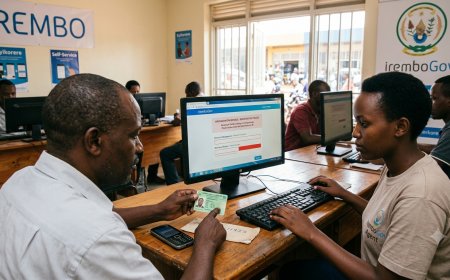
If you are trying to check a traffic fine on IremboGov and the fine is not appearing, the problem may be simpler than it looks. In many cases, the issue is caused by an incorrect plate number, a TIN that does not match the vehicle, an incorrect ticket number, or an expired billing number.
The good news is that you can check and pay Rwanda traffic fines online without necessarily having an IremboGov account. You can search using your vehicle plate number and corresponding TIN, use the traffic ticket number, or access the service through *909#.
This guide explains why your traffic fine may not appear on Irembo, how to fix common TIN and plate-number errors, how to pay the fine, and what to do if your billing number has expired.
Quick Answer
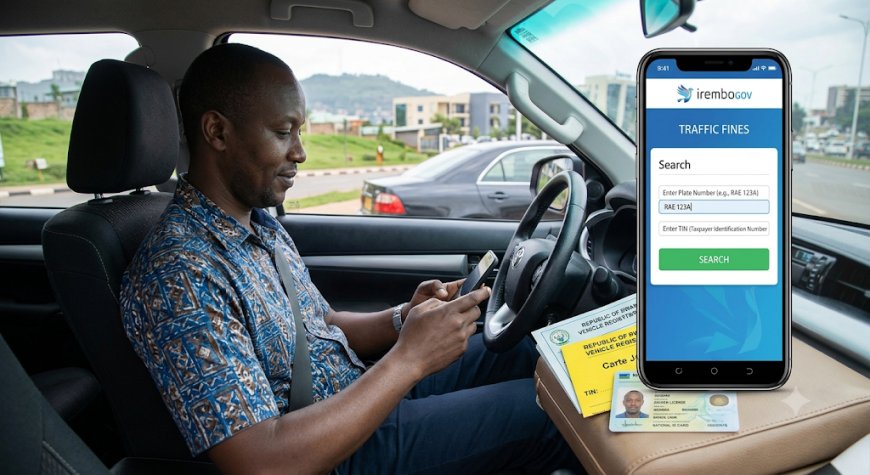
If your traffic fine is not showing on IremboGov, first make sure that the vehicle plate number and TIN match. The TIN can be found on the vehicle's yellow card (carte jaune). You can also search using the traffic ticket number.
If the billing number has expired, generate a new one and complete the payment within the new validity period. Irembo currently states that a traffic-fine billing number expires after 1 hour.
Table of Contents
- Why Your Traffic Fine Is Not Showing on Irembo
- How to Fix a Plate Number and TIN Error
- Where to Find Your Vehicle TIN
- Check a Traffic Fine Using the Ticket Number
- How to Check Traffic Fines on IremboGov
- How to Pay a Traffic Fine on Irembo
- How to Check Traffic Fines Using *909#
- How to Check Traffic Fines Using the IremboApp
- What to Do If Your Irembo Billing Number Has Expired
- RWF 10,000 Traffic Fine Late Fee
- Can You Pay Multiple Traffic Fines?
- How to Recover a Lost Traffic-Fine Receipt
- Do Traffic Fines Affect Vehicle Inspection?
- Common Problems and Solutions
- Frequently Asked Questions
- Traffic-Fine Troubleshooting Checklist
Why Is My Traffic Fine Not Showing on Irembo?
There are several reasons why a traffic fine may not appear when you search on IremboGov.
The most common problems include:
- The vehicle plate number was entered incorrectly.
- The TIN does not correspond to the vehicle.
- The TIN was copied incorrectly from the yellow card.
- The wrong traffic ticket number was entered.
- You are checking a different vehicle from the one associated with the fine.
- Your previous billing number has expired.
- There may temporarily be a technical or connectivity problem.
The first thing to check is whether your plate number and TIN correspond to each other. Irembo specifically states that outstanding traffic fines can be checked when the plate number corresponds to the TIN.
How to Fix a Plate Number and TIN Error on Irembo
If Irembo does not show your traffic fines after entering your vehicle information, check the details again before trying another method.
1. Check the plate number
Make sure the vehicle registration number is entered correctly. Pay attention to letters, numbers and their order.
2. Check the TIN
Your TIN must correspond to the vehicle's plate number. A TIN belonging to another vehicle may prevent Irembo from displaying the fines.
3. Check the yellow card
The TIN is available on the vehicle's yellow card, also known as the carte jaune.
4. Try the ticket-number search
If the plate-and-TIN search still does not work, use the traffic ticket number if you have it.
Where Can I Find My Vehicle TIN?
Your vehicle's TIN is found on the yellow card (carte jaune). Irembo uses this TIN together with the corresponding vehicle plate number when checking outstanding traffic fines.
If you cannot find the TIN or believe the vehicle information is incorrect, it is better to resolve the vehicle-record issue rather than repeatedly trying unrelated numbers.
Can I Check a Traffic Fine Using the Ticket Number?
Yes. You do not have to rely only on the plate-and-TIN search.
Irembo allows applicants to check and pay traffic fines using either:
- The vehicle plate number and corresponding TIN; or
- The traffic ticket number.
This is particularly useful if you already received a ticket and have the ticket number available.
How to Check Traffic Fines on IremboGov
Follow these steps to check whether your vehicle has outstanding traffic fines:
- Go to the official IremboGov website.
- Open the Police services section.
- Select Traffic Fines.
- Click Apply.
- Enter your plate number and corresponding TIN.
- Click Search.
- Review the fines displayed on the screen.
If you have a ticket number, you can use that instead of the plate-and-TIN search.
How to Pay a Traffic Fine on Irembo
Once your traffic fines appear, you can choose the fine or fines you want to pay.
- Search for your fines using your plate and TIN or ticket number.
- Select the traffic fine you want to pay.
- If you have multiple fines, select the applicable tickets.
- Click Next.
- Confirm that the information is correct.
- Enter a valid phone number and/or email address.
- Submit the application.
- Irembo will generate a billing number.
- Click Pay.
- Select an available payment method and complete the payment.
Irembo's current instructions list offline payment options including MTN, Airtel and BK, as well as online payment using Visa or MasterCard.
After a successful payment, you receive a payment notification and the selected fine is no longer linked to the vehicle or motorcycle in the same way as an outstanding fine.
How to Check Traffic Fines Using *909#
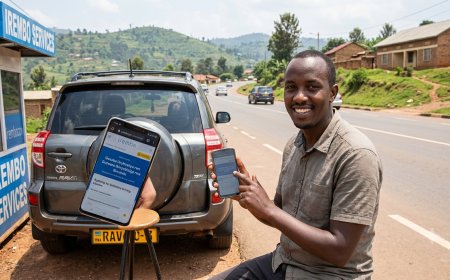
If you do not want to use the Irembo website, you can also access the traffic-fine service through the IremboGov USSD service.
Dial *909# and follow the instructions for traffic-fine services.
An IremboGov account is not required to check or pay traffic fines, and Irembo confirms that applicants with or without an account can use the service.
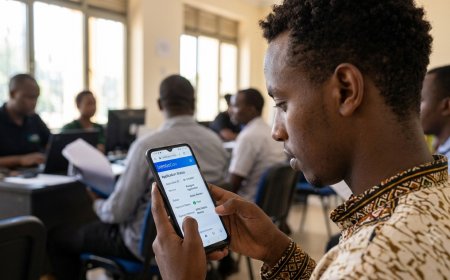
Can I Check Traffic Fines Using the IremboApp?
Yes. Irembo provides traffic-fine payment functionality through the IremboApp.
The app can be useful if you regularly use Irembo services from your phone and want another way to access traffic-fine payments.
For the most current app instructions, use the official IremboApp information because menus can change as the application is updated.
What Should I Do If My Irembo Traffic-Fine Billing Number Has Expired?
This is one of the most common problems after starting a traffic-fine payment.
Irembo currently states that a traffic-fine billing number expires after 1 hour. You should therefore complete the payment before the billing number expires.
If your billing number has already expired:
- Return to the IremboGov traffic-fines service.
- Start a new application.
- Search for the outstanding traffic fine again.
- Select the fine you want to pay.
- Submit the application.
- Generate a new billing number.
- Complete payment within the new one-hour validity period.
Is There a RWF 10,000 Late Fee for Traffic Fines?
Irembo's current traffic-fine FAQ states that a RWF 10,000 late fee can apply. If the late fee has been added, Irembo says you should generate a new billing number through the website or USSD and pay the applicable late fee.
The underlying traffic-fine amount depends on the offence, so always check the amount displayed by the official system before making payment.
Can I Pay Multiple Traffic Fines at Once?
Yes. Irembo states that applicants can pay for one or more traffic tickets, depending on the amount they are able to pay.
If several fines appear, review the list carefully before submitting your payment.
How to Recover a Lost or Damaged Traffic-Fine Receipt
If you paid a traffic fine but later lost or damaged your receipt, you do not necessarily need to worry.
Irembo's current FAQ states that traffic-fine payment receipts can be downloaded as many times as needed.
Keep your receipt after payment because it provides useful proof that the fine was paid.
Do Outstanding Traffic Fines Affect Vehicle Inspection?
Yes. This is particularly important if you are preparing to take your vehicle for inspection.
Current Irembo guidance for the first motor vehicle inspection appointment states that all outstanding traffic fines must be cleared before booking the inspection appointment. Applicants also need the vehicle plate number and TIN.
Therefore, if you are trying to book a vehicle inspection and the system indicates that fines are outstanding, check and clear the fines first.
Common Irembo Traffic-Fine Problems and Solutions
| Problem | What to Do |
|---|---|
| Traffic fine is not showing | Check that the plate number and TIN correspond, then search again. |
| TIN error | Check the TIN on the vehicle's yellow card. |
| Plate and TIN do not match | Confirm that you are using the TIN belonging to that vehicle. |
| Ticket number does not work | Recheck the ticket number and enter it exactly as issued. |
| Billing number expired | Submit a new application and generate a new billing number. |
| Late fee has been added | Generate a new billing number and pay the applicable late fee. |
| Receipt was lost | Download the traffic-fine payment receipt again through Irembo. |
| Website is difficult to access | Try again later or use *909#. |
What If My Traffic Fine Still Does Not Appear?
If you have checked your plate number and TIN several times and the fine still does not appear, try another search method before assuming that the record is missing.
- Check the TIN on the vehicle's yellow card.
- Confirm the plate number.
- Try searching with the ticket number.
- Try the service through *909#.
- Try again later if the platform appears to be experiencing a temporary technical problem.
- If the issue continues, contact Irembo customer support.
For Irembo support, the current customer-care information includes 9099, WhatsApp 0792222220, and support@irembo.com.
Frequently Asked Questions About Irembo Traffic Fines
Do I need an Irembo account to check a traffic fine?
No. Irembo states that you can check or pay a traffic fine with or without an IremboGov account. You can also use *909#.
What do I need to check my traffic fines?
You need either the vehicle plate number and its corresponding TIN or the traffic ticket number.
Where can I find my TIN?
The TIN is found on the vehicle's yellow card (carte jaune).
How long does an Irembo traffic-fine billing number last?
The current traffic-fine billing number is valid for 1 hour. If it expires, you need to submit a new application and generate another billing number.
Can I pay only one traffic fine if I have several?
Yes. Irembo allows applicants to select one or more tickets for payment.
Can I recover a lost traffic-fine receipt?
Yes. Irembo states that payment receipts can be downloaded as many times as necessary.
How much is a traffic fine in Rwanda?
The amount depends on the traffic offence. Irembo does not list one universal traffic-fine amount because different offences have different penalties.
What happens if a RWF 10,000 late fee has been added?
Irembo says you should generate a new billing number through the IremboGov website or USSD and pay the applicable late fee.
Do unpaid traffic fines affect vehicle inspection?
Yes. Current motor vehicle inspection guidance requires outstanding traffic fines to be cleared before booking an inspection appointment.
Irembo Traffic-Fine Troubleshooting Checklist
Before contacting support, go through this quick checklist:
- ☐ I entered the correct vehicle plate number.
- ☐ I checked the TIN on the yellow card.
- ☐ The TIN corresponds to the vehicle.
- ☐ I tried the ticket-number search if available.
- ☐ I checked whether my billing number has expired.
- ☐ I generated a new billing number if necessary.
- ☐ I checked the amount before paying.
- ☐ I saved my payment receipt.
- ☐ I tried *909# if the website was not working.
Related Guides on Fyndin
If you regularly use IremboGov, these guides may also help:
- How to Become an Irembo Agent in Rwanda
- How to Download a Lost Irembo Payment Receipt
- How to Apply for a Certificate of Full Identity in Rwanda
Final Takeaway
When a traffic fine does not appear on IremboGov, start by checking the information you entered. The most important combination is the vehicle plate number and its corresponding TIN. If that does not work, use the traffic ticket number instead.
You do not need an Irembo account to check or pay traffic fines, and *909# provides another way to access the service. If your billing number expires, simply start a new application and generate another one.
Finally, keep your payment receipt. Irembo allows traffic-fine receipts to be downloaded again if the original is lost or damaged.
Official Sources
- IremboGov – Frequently Asked Questions About Traffic Fines
- IremboGov – How to Check and Pay for Traffic Fines
- IremboGov Support
Last reviewed: September 2026
Government service procedures, fees and payment channels can change. Always confirm important details on the official IremboGov platform before making a payment.
What's Your Reaction?
 Like
0
Like
0
 Dislike
0
Dislike
0
 Love
0
Love
0
 Funny
0
Funny
0
 Angry
0
Angry
0
 Sad
0
Sad
0
 Wow
0
Wow
0