
























MTN MoMo Rwanda Code 2026: Complete USSD Guide
Learn the MTN MoMo Rwanda code for 2026. See the main *182# USSD menu, direct codes for sending money, payments, remittance, Virtual Card and more.

MTN MoMo Rwanda Code 2026: Complete USSD Guide
Last updated: September 2026
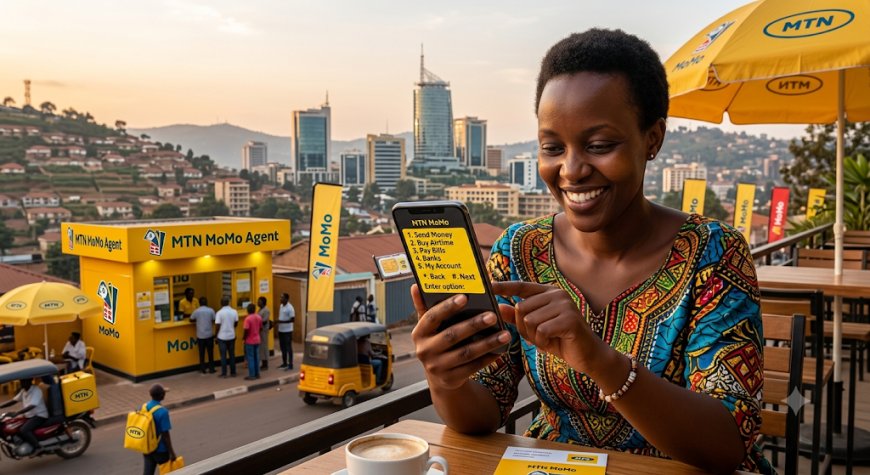
If you use MTN MoMo in Rwanda, the main code you need to remember is *182#. This USSD code gives you access to important Mobile Money services directly from your MTN phone without requiring an internet connection.
In this guide, Fyndin explains the MTN MoMo Rwanda code, how to open the MoMo menu, common USSD services, direct shortcuts, and what to do when the code does not work.
Table of Contents
- What Is the MTN MoMo Rwanda Code?
- How to Use *182#
- MTN MoMo Services Available Through USSD
- MTN MoMo Direct USSD Codes
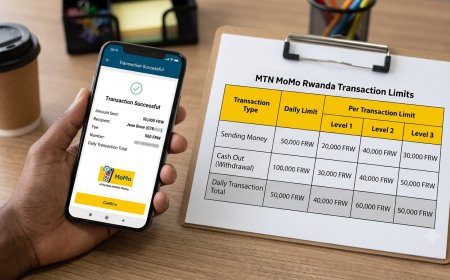
- How to Send Money Using *182#
- How to Withdraw Money
- How to Buy Airtime
- How to Pay Bills
- MTN MoMo International Remittance Code
- MTN MoMo Virtual Card Code
- MoMo Advance and Other Services
- MTN MoMo App vs *182#
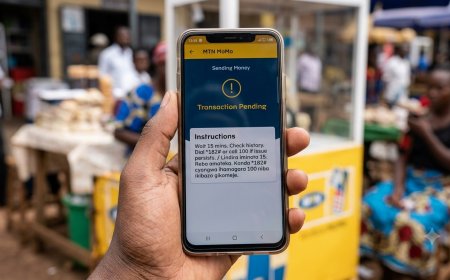
- What to Do If *182# Is Not Working
- MTN MoMo Security Tips
- Frequently Asked Questions
What Is the MTN MoMo Rwanda Code?
The main MTN MoMo Rwanda code is *182#.
It is the primary USSD access code for MTN Mobile Money services in Rwanda. You can dial it from an MTN line to open the MoMo menu and select the service you need.
MTN Rwanda currently promotes *182# as the way to access MoMo and states that customers can transact up to RWF 10 million per day, subject to applicable limits and service conditions.
The advantage of USSD is that it does not require mobile data or Wi-Fi. This makes it useful when you have limited internet access or prefer using the traditional MoMo menu.
How to Use the MTN MoMo *182# Code
To open MTN MoMo:
- Open the phone dialer on your MTN phone.
- Dial *182#.
- Press the call/send button.
- Wait for the MoMo menu to appear.
- Select the service you want.
- Enter the requested details.
- Confirm the transaction with your MoMo PIN when required.
MTN MoMo Services Available Through USSD
The *182# menu provides access to a range of Mobile Money services. Depending on your account and the current MTN menu structure, available options can include:
| Service | What You Can Do |
|---|---|
| Send Money | Send money to another customer |
| Cash Out | Withdraw money through supported channels |
| Buy Airtime | Purchase airtime for yourself or another number |
| Bill Payments | Pay supported utilities and services |
| MoMo Pay | Pay participating merchants |
| Remittance | Access supported international money-transfer services |
| MoMo services | Access additional financial and digital services available on your account |
Menu options can change as MTN introduces, updates or reorganizes services. For this reason, the main *182# menu should be treated as the primary entry point rather than relying only on old menu numbers found online.
MTN MoMo Direct USSD Codes
In addition to the main *182# menu, MTN Rwanda publishes direct USSD shortcuts for some services.
| Service | USSD Code | Purpose |
|---|---|---|
| MTN MoMo main menu | *182# | Access the main MoMo menu |
| International remittance | *182*1*3# | Start supported international remittance transactions |
| Virtual Card by MoMo | *182*2*6# | Access Virtual Card services |
Some specialized MTN services also use dedicated USSD codes. For example, MTN's current service information lists *182*12# for checking eligibility for certain device-financing services.
How to Send Money Using *182#
You can use the MTN MoMo USSD menu to send money from your MoMo wallet.
Basic steps
- Dial *182#.
- Select the option for sending money.
- Enter the recipient's MTN or supported mobile number.
- Enter the amount.
- Review the transaction information carefully.
- Confirm the transaction.
- Enter your MoMo PIN when requested.
- Wait for the confirmation message.
Before confirming, make sure that the recipient's number and amount are correct. A wrong-number transaction can require additional steps to resolve.
For current transaction fees, see Fyndin's guide to MTN MoMo charges in Rwanda.
How to Withdraw Money Using MTN MoMo
MTN MoMo customers can use the USSD menu to access cash-out services through supported withdrawal channels.
General steps
- Dial *182#.
- Select the cash-out or withdrawal option.
- Follow the instructions displayed on the screen.
- Enter the required agent or withdrawal information.
- Enter the amount.
- Confirm the details.
- Enter your MoMo PIN when requested.
The exact menu sequence can change, so follow the options currently displayed by MTN rather than relying on screenshots of older menus.
How to Buy Airtime Using MTN MoMo
You can use your MoMo balance to purchase airtime through the USSD menu.
- Dial *182#.
- Select the airtime option.
- Choose whether you are buying airtime for yourself or another number.
- Enter the amount.
- Review the information.
- Confirm and enter your MoMo PIN.
The airtime purchase should be reflected on the selected MTN number after the transaction is successfully completed.
How to Pay Bills Using MTN MoMo USSD
MTN MoMo supports payments for various bills and services. Available billers and menu options may change over time.
Common services associated with MTN MoMo include utility and other supported bill payments.
Using the main menu
- Dial *182#.
- Select the bill-payment option.
- Select the relevant service.
- Enter the required account, meter, customer or reference number.
- Enter the amount when required.
- Review the payment information.
- Confirm the transaction with your PIN.
MTN also provides bill-payment functionality through the MoMo App, including services such as RRA, water, electricity and Startimes.
MTN MoMo International Remittance Code
MTN Rwanda provides a direct USSD shortcut for supported international remittance services:
*182*1*3#
After dialing the code, select the destination country and follow the instructions displayed on your phone.
Because international remittance availability and supported destinations can change, always check the options displayed during the transaction before confirming.
MTN MoMo Virtual Card Code
MTN Rwanda also provides a Virtual Card by MoMo that can be accessed through USSD.
The dedicated code is:
*182*2*6#
According to MTN Rwanda's published information, this menu can be used for Virtual Card functions such as:
- Create a Virtual Card
- Top up the Virtual Card
- Check the card balance
- View card details
- Block the Virtual Card
- Unblock the Virtual Card
- Transfer funds back to MoMo
- View card status
- View card transactions
Never share your Virtual Card number, CVV, expiry date or MoMo PIN with another person.
MoMo Advance and Other Services
MTN Rwanda's MoMo ecosystem includes additional services beyond basic sending and withdrawing money.
For example, MTN publishes separate information for MoMo Advance, which can allow eligible customers to access an overdraft facility for permitted transactions such as sending money, MoMo Pay, bill payments, airtime and bundles.
Eligibility, limits, fees and terms depend on the applicable MTN product terms and the customer's account.
Do not assume that every MTN customer has access to every MoMo service. Your USSD menu and eligibility status may determine which services are available to you.
MTN MoMo App vs *182#
MTN customers in Rwanda can access MoMo through both USSD and the MoMo App.
| Feature | *182# USSD | MoMo App |
|---|---|---|
| Internet required | No | Yes |
| Works on basic phones | Yes | No |
| Smartphone required | No | Yes |
| Mobile data required | No | Usually yes |
| Money transfers | Yes | Yes |
| Bill payments | Yes | Yes |
| Visual interface | No | Yes |
If you do not have internet access, *182# remains particularly useful because it provides a USSD-based way to access MoMo.
If you have a smartphone and internet access, the MoMo App can provide a more visual experience and additional functionality.
What to Do If *182# Is Not Working
If the MTN MoMo code is not opening or your transaction cannot be completed, try the following steps.
1. Confirm that you are using an MTN Rwanda SIM
The MoMo service is associated with your MTN account and registered mobile number.
2. Check your network connection
USSD does not require mobile data, but your phone still needs access to the MTN mobile network.
3. Try dialing *182# again
Sometimes a temporary network or USSD session problem can prevent the menu from loading.
4. Restart your phone
If USSD services are temporarily unavailable, restarting the device and trying again may help.
5. Check whether your MoMo account is active
If you recently registered your SIM, changed your SIM or have an account-related problem, you may need assistance from MTN.
6. Contact MTN Rwanda
MTN Rwanda lists 100 as its toll-free customer-care number. MTN also provides WhatsApp support through +250 788 310 044.
MTN MoMo Security Tips
Your MoMo PIN protects your money. Treat it as confidential information.
- Never tell anyone your MoMo PIN.
- Do not enter your PIN after following instructions from an unknown caller.
- Check the recipient's number before confirming a transfer.
- Check the amount before entering your PIN.
- Do not share SMS transaction confirmations containing sensitive information.
- Be careful with people claiming to be MTN employees.
- Report suspicious transactions or fraud to MTN as soon as possible.
MTN MoMo Code vs Other MTN Rwanda Codes
It is easy to confuse the MoMo USSD code with other MTN service codes.
| Service | Code |
|---|---|
| MTN MoMo | *182# |
| MTN Airtime Recharge | *130*voucher number# |
| MTN Balance | *131# |
| MTN Data Services | *345# |
| Customer Care | 100 |
These codes are separate from the MTN MoMo menu. For Mobile Money transactions, remember *182#.
Why *182# Is Important for MTN MoMo Users
The main advantage of the MTN MoMo USSD code is accessibility.
You do not need to install an application or have an active internet connection to access the main MoMo menu. This makes USSD especially useful for customers using feature phones, customers with limited data and anyone who needs to complete a transaction quickly.
At the same time, smartphone users may prefer the MoMo App for services that benefit from a graphical interface.
Frequently Asked Questions
What is the MTN MoMo code in Rwanda?
The main MTN MoMo Rwanda USSD code is *182#.
Can I use *182# without internet?
Yes. USSD does not require mobile data or Wi-Fi, although your MTN SIM must have network service.
What is the MTN Rwanda code for MoMo?
Dial *182# to access the MTN MoMo menu in Rwanda.
What is the MTN MoMo remittance code?
MTN Rwanda publishes *182*1*3# as a direct code for supported international remittance services.
What is the MTN MoMo Virtual Card code?
The Virtual Card by MoMo can be accessed using *182*2*6#.
Can I use MTN MoMo on a basic phone?
Yes. The USSD service allows customers to access MoMo without needing a smartphone or the MoMo App.
What should I do if *182# does not work?
Check your MTN network connection, try again, restart your phone if necessary and contact MTN customer care on 100 if the problem continues.
Does *182# require mobile data?
No. The main MoMo USSD service works through the mobile network and does not require an internet data connection.
Is *182# the same as the MTN MoMo App?
No. *182# is the USSD service, while the MoMo App is a smartphone application. Both can provide access to MoMo services, but their interfaces and available features can differ.
Related MTN MoMo Guides on Fyndin
- MTN MoMo Rwanda App 2026: Download, Login & How to Use
- MTN MoMo Rwanda Tariff 2026: Complete Fees & Charges
- How to Check MTN MoMo Transaction History in Rwanda
- How to Reset or Change Your MTN MoMo PIN in Rwanda
- How to Reverse a Wrong MTN MoMo Transaction in Rwanda
- MTN MoMo Charges Rwanda 2026
- MTN MoMo Virtual Card Rwanda 2026
Final Takeaway
If you are looking for the MTN MoMo Rwanda code, the most important code to remember is *182#.
It provides the main USSD gateway to MTN Mobile Money services, including money transfers, withdrawals, airtime, bill payments and other available MoMo services.
MTN also provides direct shortcuts for selected services, such as *182*1*3# for supported remittance services and *182*2*6# for Virtual Card by MoMo.
Because MTN can update menu structures and service availability, always follow the options displayed on your phone and verify transaction details before confirming payments.
Editorial note: This guide is intended for informational purposes and was updated in September 2026 using MTN Rwanda's published service information. USSD menus, fees, limits and service availability can change. Always confirm the current information displayed by MTN before completing an important transaction.
What's Your Reaction?
 Like
0
Like
0
 Dislike
0
Dislike
0
 Love
0
Love
0
 Funny
0
Funny
0
 Angry
0
Angry
0
 Sad
0
Sad
0
 Wow
0
Wow
0