


























Why Does My Phone Number Not Match My National ID on Irembo? (2026 Fix)
Getting a phone number mismatch error on IremboGov? Learn why it happens, how to check your linked number using *125#, and how to fix it.

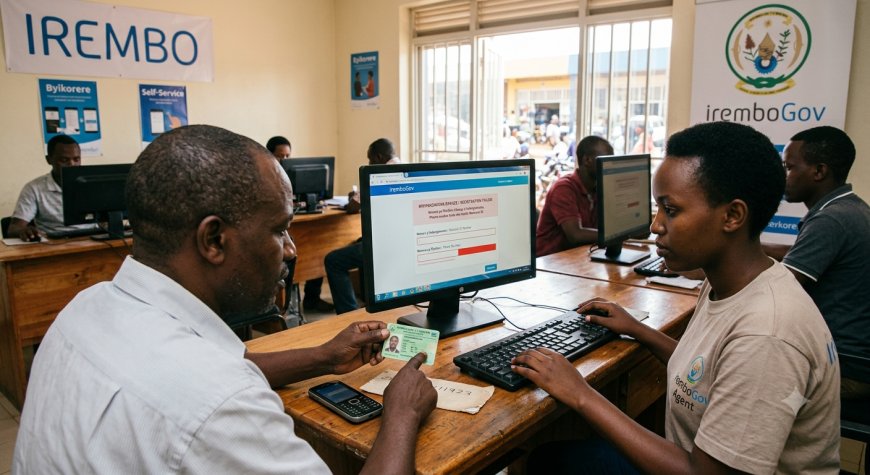
Why Does My Phone Number Not Match My National ID on Irembo? (2026 Fix)
If IremboGov says that your phone number does not match your National ID, you may not be able to create or verify your Irembo account. This problem usually means that the phone number you entered does not correspond to the National ID information required for Irembo account verification.
The good news is that you can check which phone numbers are linked to your National ID and take steps to resolve the problem before contacting Irembo support.
In this guide, Fyndin explains what the Irembo phone-number mismatch means, how to check your linked phone numbers using *125#, what to do if your number is not linked correctly, and how to get help if the problem continues.
Quick Answer: How to Fix an Irembo Phone Number Mismatch
If Irembo says your phone number does not match your National ID:
- Check the phone numbers linked to your National ID by dialing *125#.
- Follow the instructions to identify the numbers associated with your National ID.
- Compare the number you are entering on IremboGov with the number shown through the service.
- If the number is not correctly linked, visit an MTN or Airtel service centre for guidance on correcting the phone registration information.
- Try creating or verifying your Irembo account again after the information has been corrected.
- If the problem continues, contact Irembo support through 9099 or support@irembo.com.
What Does “Phone Number Does Not Match National ID” Mean on Irembo?
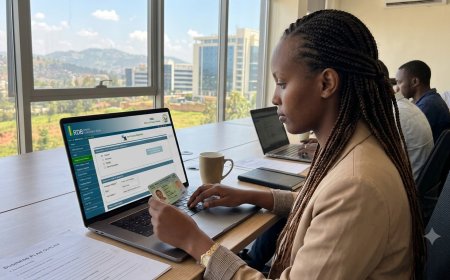
IremboGov uses your phone number together with identification information when creating and verifying an account.
According to IremboGov's account-management guidance, an IremboGov account can be created using an email address or phone number together with a corresponding National ID or consular card.
Therefore, if the phone number you provide does not correspond to the identification information required by the system, account registration or verification may fail.
This does not necessarily mean that your National ID is invalid. It may simply mean that the phone number you are using is not the number currently associated with your identification information.
How to Check the Phone Numbers Linked to Your National ID
The first thing you should do is check the numbers associated with your National ID.
Step 1: Dial *125#
Using your mobile phone, dial:
*125#
IremboGov specifically recommends this method for checking the phone numbers linked to a National ID.
Step 2: Follow the Instructions
Follow the instructions displayed after dialing the USSD code.
Check whether the phone number you are trying to use for Irembo is associated with your National ID.
Step 3: Compare the Number
If the number shown is different from the number you are entering on IremboGov, this may explain why the verification is failing.
Make sure you are using the correct phone number before trying to register again.
Why Does Irembo Say My Phone Number Does Not Match?
There are several situations that can lead to this problem.
1. The Phone Number Is Not Linked to Your National ID
The most common issue is that the phone number you are using is not the number corresponding to your National ID in the relevant records.
Checking with *125# is the recommended first step.
2. You Are Using a Different SIM Card
You may have more than one phone number, but the number you enter on Irembo may not be the one associated with your National ID.
For example, you may normally use one number for calls and another number for mobile money. If the number you enter during Irembo registration is not the corresponding number, verification may fail.
3. Your SIM Registration Information Needs Attention
If your number is not correctly associated with your National ID, you may need assistance from your mobile network operator.
Irembo's account-creation guidance recommends visiting the nearest MTN or Airtel service centre for guidance when the phone number does not correspond correctly.
4. You Are Trying to Use Someone Else's Number
Using another person's phone number can create verification problems when the number does not correspond to your identification information.
For Irembo account registration, use a phone number that corresponds to your own identification information whenever the service requires phone verification.
5. You Recently Changed Your Phone Number
If you recently changed SIM cards or phone numbers, your current number may not yet be the number associated with your identification information.
Check your linked numbers using *125# before attempting Irembo registration again.
What Should I Do If My Number Is Not Linked to My National ID?
If the number you want to use is not correctly associated with your National ID, contact your mobile network operator.
For MTN or Airtel numbers, visit a nearby service centre and explain that your phone number needs to correspond correctly with your National ID information for an IremboGov account.
Bring your valid identification documents with you so that the service centre can review your registration information and advise you on the appropriate procedure.
Do not create another Irembo account simply because the phone-number verification failed. IremboGov states that a user is eligible for one IremboGov account.
Can I Use Another Person's Phone Number on Irembo?
You should avoid using another person's phone number when registering an IremboGov account if it does not correspond to your identification information.
The safest approach is to use your own correctly registered phone number or follow Irembo's alternative account-verification instructions where applicable.
If you are unsure whether your particular situation qualifies for another verification method, contact Irembo support before creating multiple accounts.
What If I Lost the Phone Number Used for My Irembo Account?
If you have lost access to the phone number registered on your Irembo account, account recovery can become difficult because Irembo's password-reset process may send an OTP to the registered phone number.
IremboGov advises that you may need to perform a SIM swap if you have lost the registered number and still need access to OTP verification.
If you cannot recover access to the number, contact Irembo support for assistance.
Can I Create an Irembo Account With a Passport?
No. According to IremboGov's account-management FAQ, you cannot create an IremboGov account using a passport.
The account-creation process uses an email address or phone number with corresponding identification information such as a National ID or consular card, depending on the applicant's situation.
If you are a foreigner or a Rwandan living abroad and your situation is different from the standard registration process, check the applicable Irembo service instructions or contact Irembo support.
Can I Have More Than One Irembo Account?
No. IremboGov states that a user is eligible for one IremboGov account.
If you are experiencing a phone-number verification problem, creating another account is not the recommended solution.
Instead, resolve the identification or phone-number issue and continue using your existing account where possible.
What If *125# Shows the Correct Number but Irembo Still Rejects It?
If *125# shows that your phone number is linked to your National ID but Irembo still reports a mismatch, avoid repeatedly creating accounts.
First, check that you have entered the phone number correctly and that you are following the current Irembo registration process.
If the error continues, contact Irembo directly so that they can investigate the account or verification issue.
IremboGov provides the following support channels:
- Phone: 9099
- Email: support@irembo.com
You can also visit the official IremboGov website for government services and account access.
How to Avoid Irembo Account Verification Problems
You can reduce account-registration problems by following a few simple practices.
- Use your own phone number when registering.
- Make sure the number corresponds to your identification information.
- Check linked phone numbers using *125# if you receive a mismatch error.
- Do not create multiple Irembo accounts.
- Keep access to the phone number used for OTP verification.
- Keep your National ID information accurate and up to date.
- Do not use a passport as a replacement for the identification information required during Irembo account registration.
- Contact Irembo support if the problem continues after checking your phone registration.
Frequently Asked Questions
Why does Irembo say my phone number does not match my National ID?
The phone number you entered may not correspond to the National ID information required for Irembo account verification. Check your linked numbers by dialing *125#.
What code can I use to check numbers linked to my National ID?
Dial *125# and follow the instructions. IremboGov lists this as the method for checking phone numbers linked to a National ID.
Can I use a phone number registered to another person?
You should use a phone number that corresponds to your own identification information where phone verification is required. If you are unsure about your situation, contact Irembo support.
Can I create another Irembo account if verification fails?
No. IremboGov states that a user is eligible for one IremboGov account. Fix the verification issue instead of creating multiple accounts.
Can I use a passport to create an Irembo account?
No. IremboGov's account-management FAQ says an IremboGov account cannot be created using a passport.
What if I lost the SIM card connected to my Irembo account?
If you lost the registered number, you may need to recover the number through a SIM-swap process because OTP verification may be sent to the registered phone number. You can also contact Irembo support for assistance.
Can I access my Irembo account from outside Rwanda?
Yes. IremboGov states that you can access your account outside Rwanda as long as you have your account credentials.
How do I contact Irembo if the problem is not solved?
You can contact IremboGov by calling 9099 or emailing support@irembo.com.
Final Takeaway
An Irembo phone-number mismatch does not necessarily mean that your National ID is invalid. The first step is to confirm whether the phone number you are using corresponds to your National ID.
Dial *125# to check the phone numbers linked to your National ID. If your preferred number is not correctly linked, visit an MTN or Airtel service centre for guidance. After resolving the phone registration issue, try the Irembo account verification process again.
If the number is correctly linked but Irembo continues to reject it, contact Irembo support at 9099 or support@irembo.com.
For the latest account requirements and government services, always check the official IremboGov platform before submitting an application.
Official Information
Last updated: September 2026
What's Your Reaction?
 Like
0
Like
0
 Dislike
0
Dislike
0
 Love
0
Love
0
 Funny
0
Funny
0
 Angry
0
Angry
0
 Sad
0
Sad
0
 Wow
0
Wow
0