




























MTN MoMo Rwanda App 2026: Download, Login & How to Use
Learn how to download and use the MTN MoMo Rwanda app in 2026, including login, sending money, bill payments, airtime, and common app problems.

MTN MoMo Rwanda App 2026: Download, Login & How to Use
Last updated: September 15, 2026
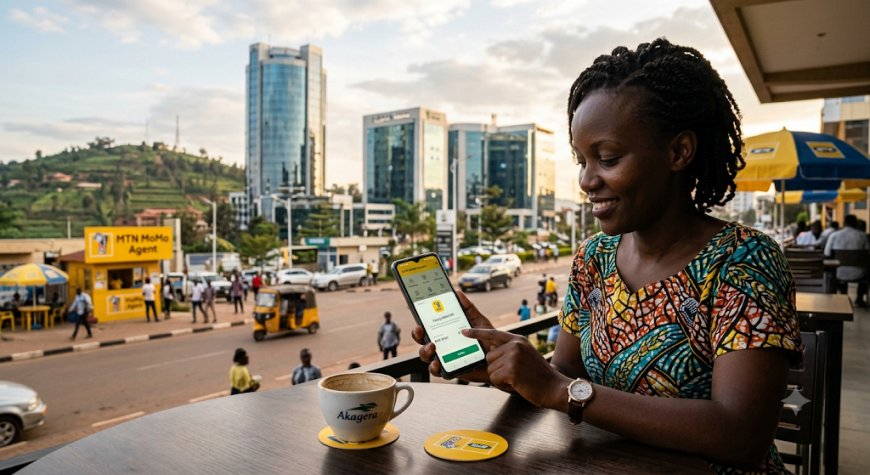
Looking for the MTN MoMo Rwanda app to send money, pay bills, buy electricity or manage your Mobile Money transactions from your smartphone? This complete 2026 guide explains how the MTN MoMo App works, where to get it, how to access it, what you can do with it, and what to do when the app is not working.
MTN Rwanda officially provides the MoMo App for Android and iPhone (iOS). The application supports several Mobile Money services, including sending money and paying selected bills such as RRA, water, electricity and Startimes.
Quick answer: The MTN MoMo Rwanda App is available for both Android and iOS. Download the official application through your device's official app store, then follow the instructions shown in the app to access your MoMo account. You can use supported features to send money and make payments without navigating the traditional USSD menu.
MTN MoMo Rwanda App at a Glance
| Feature | Details |
|---|---|
| Service | MTN MoMo |
| Country | Rwanda |
| App availability | Android and iOS |
| Money transfers | Supported |
| RRA payments | Supported |
| Water payments | Supported |
| Electricity payments | Supported |
| Startimes payments | Supported |
| MTN MoMo USSD | *182# |
| Customer care | 100 |
Table of Contents
- What Is the MTN MoMo Rwanda App?
- Who Can Use the MTN MoMo App?
- How to Download the MTN MoMo Rwanda App
- How to Download MTN MoMo App on Android
- How to Download MTN MoMo App on iPhone
- How to Log In to MTN MoMo Rwanda App
- What Can You Do With the MTN MoMo App?
- How to Send Money Using MTN MoMo App
- How to Pay RRA Using MTN MoMo App
- How to Pay Water Bills
- How to Buy Electricity
- How to Pay for Startimes
- Does the MTN MoMo App Have Fees?
- MTN MoMo App vs *182#
- MoMo App vs MyMTN App
- MTN MoMo App Not Working? Try These Fixes
- MTN MoMo App Security Tips
- MTN MoMo Customer Care Rwanda
- Frequently Asked Questions
- Related MTN MoMo Rwanda Guides
What Is the MTN MoMo Rwanda App?
The MTN MoMo Rwanda App is a smartphone application that gives MTN MoMo customers access to supported Mobile Money services through an app interface.
Instead of relying entirely on USSD menus, customers using compatible Android or iOS devices can access supported MoMo services through the application.
MTN Rwanda says the app allows customers to transfer funds and make purchases using their phones. The official app page also provides instructions for several bill-payment services.
This makes the application particularly useful for customers who frequently use Mobile Money for payments and transfers.
Who Can Use the MTN MoMo App?
The application is intended for MTN MoMo customers who have a compatible smartphone.
Because the app is available on Android and iOS, most modern smartphone users can access it if their device meets the application's current requirements.
If you do not have a smartphone or prefer not to use an application, MTN Rwanda continues to provide MoMo services through *182#. MTN's current website describes *182# as the MoMo USSD channel.
How to Download the MTN MoMo Rwanda App
The safest way to install the MTN MoMo app is through the official app store on your phone.
Android users should use Google Play, while iPhone users should use the Apple App Store.
Important security advice: Do not download an MTN MoMo APK from an unknown website simply because it appears in a Google search. Financial applications should only be installed from trusted, official distribution channels.
How to Download MTN MoMo App on Android
- Open the Google Play Store on your Android phone.
- Search for the official MTN MoMo application.
- Check the application information carefully.
- Tap Install.
- Wait for the installation to complete.
- Open the application.
- Follow the instructions displayed on the screen.
Before installing the app, make sure your phone has enough storage and a stable internet connection.
How to Download MTN MoMo App on iPhone
- Open the Apple App Store.
- Search for the official MTN MoMo application.
- Verify that you have selected the legitimate application.
- Tap Get.
- Authenticate the download if requested.
- Wait for installation to finish.
- Open the app and follow the displayed instructions.
Do not use unofficial app files to install a financial application on your iPhone.
How to Log In to MTN MoMo Rwanda App
After installing the application, open it and follow the login or account-access instructions displayed by the current version of the app.
Because application interfaces can change when MTN releases updates, the exact buttons and screens may not always look identical to older screenshots or tutorials found online.
If you cannot access your account, use the recovery or verification options provided by the application. If the problem continues, contact MTN Rwanda through its official customer-support channels.
What If You Forgot Your MoMo PIN?
If you have forgotten your MoMo PIN, do not give your PIN or confidential account information to another person claiming that they can recover your account.
Use MTN's official recovery process or contact customer support for assistance.
For more information, see our related guide: How to Reset or Change Your MTN MoMo PIN in Rwanda.
What Can You Do With the MTN MoMo App?
The MTN MoMo App provides access to several useful Mobile Money services.
According to MTN Rwanda's official app information, supported services include:
- Sending money
- Making supported purchases
- Paying RRA bills
- Paying water bills
- Buying electricity
- Paying for Startimes
MTN may add, remove or modify features over time, so customers should rely on the current application interface and official MTN information when using a particular service.
How to Send Money Using MTN MoMo App
Sending money is one of the main reasons customers use MTN MoMo.
The general process is:
- Open the MTN MoMo application.
- Access your MoMo account.
- Select the option for sending or transferring money.
- Enter the recipient's phone number or select the recipient where supported.
- Enter the amount.
- Carefully review the recipient and amount.
- Confirm the transaction using the authentication method requested by the app.
- Wait for the transaction confirmation.
Before you confirm: Check the recipient's phone number and the amount carefully. A mistake can result in money being sent to the wrong recipient.
For current transaction charges, see our MTN MoMo Rwanda Tariff 2026 guide.
How to Pay RRA Using MTN MoMo App
MTN Rwanda officially provides an RRA payment option through the MoMo App.
According to MTN's current instructions:
- Open the MTN MoMo App.
- Select Bill Payment.
- Select RRA.
- Enter the required Account Number.
- Tap Proceed.
- Review the payment information.
- Select Paybill.
- Confirm the transaction when the confirmation prompt appears.
These steps follow MTN Rwanda's published MoMo App instructions.
How to Pay Water Bills Using MTN MoMo App
MTN's official MoMo App instructions also support water-bill payments.
- Open the MoMo App.
- Select Bill Payment.
- Select Water.
- Enter your water account number.
- Enter the amount.
- Select Paybill.
- Select Complete Payment.
- Wait for the confirmation message.
MTN identifies the water payment service as WASAC on its official MoMo App page.
How to Buy Electricity Using MTN MoMo App
You can also use the MoMo App to purchase electricity through the supported electricity-payment service.
- Open the MTN MoMo App.
- Select Bill Payment.
- Select Electricity.
- Enter your electricity meter number.
- Enter the amount.
- Select Paybill.
- Select Complete Payment.
- Wait for the confirmation.
MTN Rwanda's official instructions identify this electricity payment service as REG.
How to Pay for Startimes Using MTN MoMo App
Customers can use the MoMo App to pay for a supported Startimes package.
- Open the MoMo App.
- Select Bill Payment.
- Select Startimes.
- Enter your Smartcard number.
- Enter the amount.
- Select Paybill.
- Complete the payment.
- Wait for the confirmation.
These steps are based on MTN Rwanda's published instructions for Startimes payments through the MoMo App.
Does the MTN MoMo App Have Fees?
Downloading or using an application should not be confused with the charges that may apply to individual MoMo transactions.
Transaction fees depend on the specific Mobile Money service you are using. Sending money, withdrawing cash, making certain payments and other services may have different charges.
For this reason, do not rely on an old screenshot or social-media post when checking MoMo charges. Check the latest MTN Rwanda tariff information before making an important transaction.
Fyndin's related guide covers the current tariff structure in detail: MTN MoMo Rwanda Tariff 2026: Complete Fees, Charges and Transaction Costs.
MTN MoMo App vs *182#: Which Is Better?
Both options provide access to MTN MoMo, but they are useful in different situations.
| Feature | MTN MoMo App | *182# |
|---|---|---|
| Requires smartphone | Yes | No |
| Uses an app interface | Yes | No |
| Internet/data | Normally required | USSD connection |
| Money transfers | Supported | Supported |
| Bill payments | Supported services | Supported services |
| Good for basic phones | No | Yes |
MTN Rwanda currently promotes *182# as its MoMo USSD channel, while the MoMo App provides a smartphone-based interface.
MTN MoMo App vs MyMTN App
This is a common source of confusion because MTN has more than one mobile application.
MTN MoMo App
The MoMo App is focused on Mobile Money services such as transfers, payments and supported bill-payment services.
MyMTN App
The MyMTN App is designed for broader MTN mobile-service management. MTN describes it as an application for buying and sending airtime and data, managing loyalty points and accessing other mobile services.
Therefore, if you are specifically searching for an app to manage your MoMo wallet and Mobile Money payments, you should look for the official MoMo application.
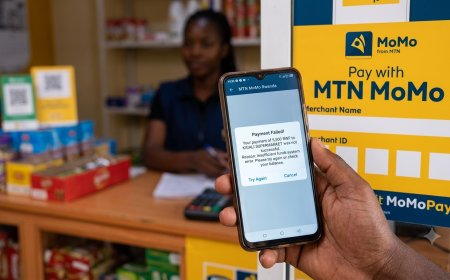
MTN MoMo App Not Working? Try These Fixes
If the MTN MoMo App is not opening, connecting or completing a transaction, try the following steps.
1. Check your internet connection
Switch between mobile data and Wi-Fi if possible. A weak or unavailable internet connection can prevent a smartphone application from communicating with its service.
2. Restart the application
Close the app completely and open it again.
3. Restart your phone
A simple restart can resolve temporary operating-system or connectivity problems.
4. Check for an app update
Open your official app store and check whether a newer version of the MoMo App is available.
5. Check your phone storage
If your phone is almost full, applications may behave unexpectedly. Free up some storage if necessary.
6. Do not repeat a transaction blindly
If a transaction appears to have failed but money may already have been deducted, check your transaction status or account information before trying again.
7. Contact MTN if the problem continues
If you cannot resolve the problem yourself, contact MTN Rwanda through its official customer-care channels.
MTN MoMo App Security Tips
Because MoMo involves real money, account security is just as important as knowing how to use the application.
- Never share your MoMo PIN.
- Never disclose confidential verification codes to strangers.
- Install the app only from trusted official app stores.
- Do not use modified or suspicious APK files.
- Check the recipient's number before sending money.
- Check the amount before confirming.
- Keep your smartphone protected with a screen lock.
- Keep your phone's operating system and applications updated.
- Be suspicious of messages claiming that you have won money or need to provide your MoMo PIN.
- Report suspected fraud to MTN as soon as possible.
MTN Rwanda provides a dedicated online process for reporting suspected MoMo fraud, in addition to its customer-support channels.
MTN MoMo Customer Care Rwanda
If you have a problem with your MoMo account or the application, use MTN Rwanda's official support channels.
| Support Channel | Details |
|---|---|
| MTN Customer Care | 100 |
| +250 788 310 044 | |
| Rwanda customer-care email | customercare.rw@mtn.com |
These support details are currently listed on MTN Rwanda's official website.
For suspected fraud, use MTN's official fraud-reporting process rather than dealing privately with someone who claims they can recover your money.
What to Do Before Making a MoMo Transaction
A few seconds of checking can prevent many Mobile Money mistakes.
- Confirm the recipient's phone number.
- Confirm the amount.
- Check the applicable transaction fee when relevant.
- Make sure you have sufficient balance.
- Confirm that the transaction details are correct.
- Keep the confirmation information after a successful transaction.
This is especially important when sending large amounts or paying an account that you do not use regularly.
Frequently Asked Questions About MTN MoMo Rwanda App
Is the MTN MoMo App available in Rwanda?
Yes. MTN Rwanda officially provides the MoMo App for both Android and iOS users.
Where can I download the MTN MoMo Rwanda App?
Use the official application store on your smartphone. Android users should use Google Play, while iPhone users should use the Apple App Store.
Can I send money using the MTN MoMo App?
Yes. Sending money is one of the core services provided through MTN MoMo.
Can I pay RRA using the MoMo App?
Yes. MTN Rwanda provides an RRA bill-payment option through the MoMo App.
Can I pay water bills using MTN MoMo?
Yes. MTN's official MoMo App instructions include water-bill payments through the Bill Payment section.
Can I buy electricity using MTN MoMo?
Yes. The official app instructions allow customers to select Electricity, enter the meter number and amount, and complete the payment.
Can I pay for Startimes with MTN MoMo?
Yes. MTN Rwanda lists Startimes among the services supported by the MoMo App.
Can I use MTN MoMo without the app?
Yes. MTN Rwanda continues to provide MoMo services through *182#.
What is the MTN MoMo USSD code in Rwanda?
The MTN MoMo USSD code is *182#. It provides an alternative way to access MoMo services without relying on the smartphone application.
What should I do if my MTN MoMo App is not working?
Check your internet connection, restart the application, restart your phone, check for updates and make sure your device has enough storage. If the problem continues, contact MTN customer care on 100.
What is the MTN MoMo customer-care number in Rwanda?
MTN Rwanda lists 100 as its toll-free customer-care number. It also lists WhatsApp support at +250 788 310 044.
Is MTN MoMo App the same as MyMTN App?
No. The MoMo App focuses on Mobile Money services, while MyMTN provides broader MTN mobile-service management features.
Is it safe to download an MTN MoMo APK from another website?
It is safer to install a financial application through the official app store rather than downloading an APK from an unknown website. Unofficial application files can create unnecessary security risks.
Related MTN MoMo Rwanda Guides on Fyndin
If you use MTN MoMo regularly, these related Fyndin guides can help you solve specific problems:
- MTN MoMo Rwanda Tariff 2026: Complete fees, charges and transaction costs
- How to Check MTN MoMo Transaction History in Rwanda
- How to Reverse a Wrong MTN MoMo Transaction in Rwanda
- How to Reset or Change Your MTN MoMo PIN in Rwanda
- MTN MoMo Rwanda Code: Complete USSD guide
- MTN Rwanda MoMo Statement: How to get your transaction statement
- MTN MoMo Withdrawal Charges Rwanda 2026
- MTN Rwanda MoMo Transfer Charges 2026
- MTN MoMo Pay Rwanda: How it works and fees
- MTN MoMo Virtual Card Rwanda 2026
Final Verdict: Is the MTN MoMo App Worth Using?
For MTN customers who regularly use Mobile Money on a smartphone, the MTN MoMo Rwanda App provides a convenient alternative to navigating USSD menus for supported transactions.
Its most useful features include money transfers and payments for services such as RRA, water, electricity and Startimes. MTN officially supports the application on both Android and iOS.
However, the app is not the only way to access MoMo. Customers can continue using *182#, making USSD a useful alternative when the app or internet connection is unavailable.
The most important thing is to use the official application, protect your MoMo PIN, verify every transaction before confirming it and contact MTN directly when you encounter a serious account or transaction problem.
Official MTN Rwanda Information
This Fyndin guide is based primarily on information published by MTN Rwanda. MTN's official MoMo App page provides the current supported platforms and instructions for RRA, water, electricity and Startimes payments.
MTN Rwanda's official support information currently lists customer care on 100, WhatsApp support at +250 788 310 044 and customer-care email information.
Editorial note: MTN may change application features, transaction processes, fees or support channels. Fyndin will update this guide when significant changes are confirmed through official MTN Rwanda information.
Disclaimer: Fyndin is an independent information website and is not affiliated with MTN Rwanda. Always verify important financial, account and transaction information through official MTN Rwanda channels before completing a transaction.
What's Your Reaction?
 Like
0
Like
0
 Dislike
0
Dislike
0
 Love
0
Love
0
 Funny
0
Funny
0
 Angry
0
Angry
0
 Sad
0
Sad
0
 Wow
0
Wow
0