
































How to Reset or Change Your MTN MoMo PIN in Rwanda 2026
Forgot your MTN MoMo PIN in Rwanda? Learn how to reset or change your PIN, recover access and secure your MoMo account in 2026.

How to Reset or Change Your MTN MoMo PIN in Rwanda 2026
Forgot your MTN MoMo PIN, want to change it, or suspect that someone else may know it? A forgotten or compromised PIN can prevent you from accessing your MoMo wallet and, more importantly, can put your money at risk.
In Rwanda, MTN provides several ways to get help with MoMo account and PIN problems. The exact self-service options available can depend on your account and the current MTN MoMo menu, while MTN's customer-service channels remain available when you cannot complete the process yourself.
What Is an MTN MoMo PIN?
Your MoMo PIN is the personal security code used to authorize transactions and access protected MoMo services. It should be treated like the password to your mobile-money wallet.
MTN's MoMo information explains that the wallet is protected by a MoMo PIN, while its terms and service information place responsibility on customers to keep the PIN confidential.
Never give your MoMo PIN to another person, including someone claiming to be an MTN employee or agent. If you believe someone has discovered your PIN, treat the situation as a security issue rather than simply waiting until you need to make another transaction.
Forgot Your MTN MoMo PIN? What to Do First
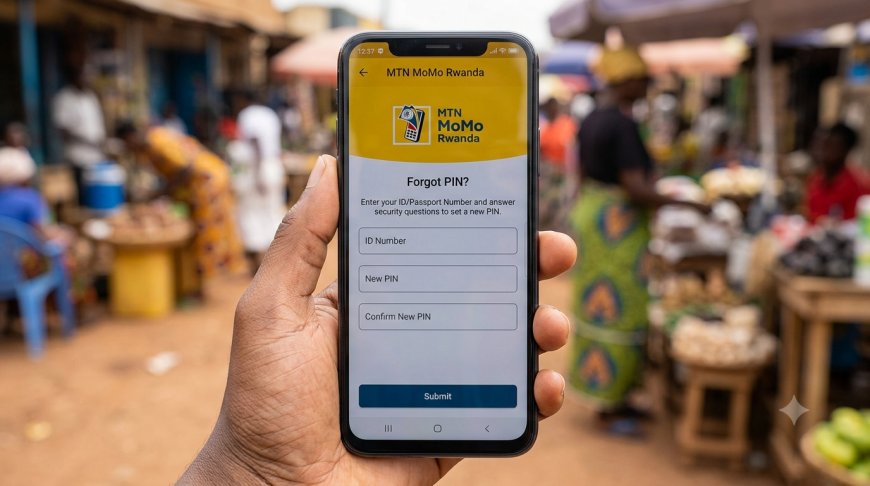
If you cannot remember your PIN, do not repeatedly guess it. Instead, use the available PIN-reset process.
- Open your MTN MoMo service using the normal channel you use to access your wallet.
- Look for the current option related to PIN reset, forgotten PIN or account security.
- Follow the identity-verification instructions presented by MTN.
- If the self-service process is not available for your account, contact MTN customer care on 100.
- If MTN requires an in-person reset, visit an MTN service centre with the required identification document.
MTN's current complaint system also specifically lists Self Pin Reset MoMo among its MoMo complaint options, confirming that PIN-reset assistance is part of the current MoMo support process.
Can You Reset an MTN MoMo PIN Without Going to an MTN Service Centre?
In some circumstances, MTN provides self-service PIN-reset functionality. However, you should not rely on an old USSD code found on an unofficial website because MTN can change its menus and security procedures.
The safest approach is to use the PIN-reset option currently presented through your MoMo service. If that option does not appear, fails, or your account requires additional verification, contact MTN directly on 100.
MTN's official website currently provides customer support for MoMo wallet queries through 100 and directs customers to service centres when assistance is required.
What If the PIN Reset Does Not Work?
If the self-service reset fails, the next step is to contact MTN rather than repeatedly attempting different PINs.
MTN's published Service Charter provides a specific procedure for PIN resets at an MTN service centre. For Rwandan customers, it states that the customer should be physically present and provide the original National Identification Card or an ID replacement document issued by Irembo. The published service-level target for PIN reset is listed as 2–5 minutes once the required process is completed.
Requirements can change, so it is sensible to confirm the current requirements with MTN before travelling if you are unsure which document to bring.
What Documents Are Needed to Reset an MTN MoMo PIN?
For a Rwandan customer who needs an in-person PIN reset, MTN's published Service Charter lists:
- The customer must be physically present at an MTN service centre.
- An original National Identification Card, or an ID replacement document issued by Irembo.
For foreign customers, the same document lists additional identification requirements, including a valid passport and relevant immigration or identification documentation.
Because identification requirements are security-sensitive, always follow the latest instructions provided by MTN rather than relying on an old social-media post or unofficial guide.
How to Change Your MTN MoMo PIN
Changing your PIN is different from recovering a forgotten PIN.
If you know your existing PIN and simply want to replace it, use the current Change PIN option in your MTN MoMo service. The menu displayed to customers can change as MTN updates its service, so follow the options currently shown on your phone.
Choose a PIN that:
- You have not used elsewhere.
- Is difficult for another person to guess.
- Is not based on an obvious personal date or number.
- You can remember without writing it somewhere insecure.
After changing the PIN, avoid immediately sharing or entering it where another person can see it.
Forgotten PIN vs Changed PIN: What's the Difference?
| Situation | What you should do |
|---|---|
| You remember your PIN but want a new one | Use the current Change PIN option. |
| You completely forgot your PIN | Use the available PIN-reset process or contact MTN. |
| Self-reset is unavailable | Call 100 or visit an MTN service centre. |
| You believe someone knows your PIN | Change/reset it immediately and contact MTN if unauthorized activity occurred. |
| You suspect unauthorized transactions | Contact MTN immediately and report the issue. |
What If Someone Knows Your MTN MoMo PIN?
Act immediately. Your PIN should never be shared with another person.
If you still have access to your wallet, change the PIN using the current official process. If you cannot change it or believe unauthorized transactions have already occurred, contact MTN customer care.
MTN's published terms emphasize the customer's responsibility to protect the MoMo PIN and to notify MoMo customer care when there is reason to suspect that the PIN has been compromised or unauthorized use has occurred.
What If Money Was Taken After Someone Learned Your PIN?
Do not wait for the situation to resolve itself.
- Secure your MoMo account by changing or resetting the PIN if possible.
- Contact MTN customer care on 100.
- Explain that you suspect unauthorized access to your MoMo account.
- Keep any transaction SMS messages and other evidence.
- Do not delete messages showing suspicious transactions.
- Follow MTN's instructions for reporting the transaction.
MTN provides a dedicated MoMo complaints process on its website, including fields for identifying the customer and describing the complaint.
How to Contact MTN Rwanda About a MoMo PIN Problem
MTN currently lists several customer-support channels:
- MTN customer care: 100
- Email: customercare.rw@mtn.com
- WhatsApp: +250 788 310 044
- Physical location: MTN Centre, KG 9 Ave, Kigali
MTN's website currently lists customer-care hours as Monday–Friday, 8 AM–9 PM, and weekends, 9 AM–5 PM.
If you are dealing with an urgent account-security problem, calling 100 is generally the most direct option.
Can an MTN Agent Reset Your MoMo PIN?
If you need an official PIN reset, use an MTN-authorized service channel and follow the identity-verification procedure.
Do not give your PIN to a MoMo agent so that they can "reset it for you." A legitimate support process should not require you to disclose your private PIN to another person.
If someone asks you to tell them your PIN, OTP, or another security code in order to receive assistance, stop the transaction and verify the request directly with MTN.
How to Keep Your MTN MoMo PIN Safe
PIN security is just as important as knowing how to reset a forgotten PIN.
- Never share your PIN. Treat it as confidential.
- Do not tell an agent your PIN. An agent should not need your private security code.
- Do not store your PIN in an obvious place.
- Cover your phone when entering the PIN in public places.
- Be careful with unsolicited calls and messages.
- Never provide an OTP or security code simply because someone claims to be from MTN.
- Act quickly if your phone or SIM is lost. Contact MTN for assistance.
- Check your transaction messages regularly. Unexpected activity should be investigated immediately.
Can MTN Staff Ask for Your MoMo PIN?
You should never disclose your private MoMo PIN to another person simply because they claim to be an MTN employee, agent or customer-care representative.
A support representative may need to verify your identity, account or transaction information, but that is different from asking you to reveal the secret PIN used to authorize your wallet transactions.
If you are uncertain about a request, end the conversation and contact MTN through an official channel such as 100.
What If You Entered the Wrong PIN Several Times?
If you have repeatedly entered an incorrect PIN, stop trying random combinations.
Repeated attempts can create additional account-access problems, and guessing will not help you recover a forgotten PIN. Use the official reset or support process instead.
If the wallet becomes inaccessible, contact MTN customer care or visit an MTN service centre with your identification documents.
Does Changing the PIN Delete Your MoMo Money?
Changing or resetting your PIN is an account-security procedure. It should not be confused with closing your MoMo wallet or deleting its balance.
However, if you experience an unexpected balance change, missing transaction, or unauthorized transfer after a PIN problem, contact MTN immediately so the transaction can be investigated.
What Information Should You Have Before Contacting MTN?
Preparing useful information can make a support conversation easier.
- Your MTN phone number.
- Your identification document, if an in-person reset is required.
- The approximate time the problem occurred.
- Any relevant transaction SMS messages.
- The transaction amount, if money was involved.
- The recipient's number, where applicable.
- A description of what happened.
Never include your actual MoMo PIN in a complaint or message.
What to Do If Your Phone or SIM Is Lost
A lost phone or SIM should be treated as a security issue, especially if someone could potentially access your MoMo wallet.
Contact MTN as soon as possible and explain that your SIM or device has been lost. Do not wait until an unauthorized transaction appears before taking action.
MTN provides customer support through 100 and its service centres for MoMo wallet issues.
MTN MoMo PIN Reset: Common Questions
What should I do if I forgot my MTN MoMo PIN in Rwanda?
Use the current PIN-reset option available through your MoMo service. If you cannot complete the self-service process, call MTN on 100 or visit an MTN service centre with the required identification.
Can I reset my MoMo PIN online?
MTN provides self-service support options for some MoMo PIN-reset situations, but the available process can depend on your account and the current MoMo service. If the option is not available, use MTN customer care or a service centre.
How long does an MTN MoMo PIN reset take?
MTN's published Service Charter lists a 2–5 minute service level for PIN reset when the required in-person process and documentation are completed.
What ID do I need to reset my MoMo PIN?
For Rwandan customers requiring an in-person reset, MTN's published Service Charter lists the original National Identification Card or an ID replacement document issued by Irembo.
Can an MTN agent reset my PIN for me?
Use official MTN service channels for a PIN reset and follow the required identity-verification procedure. Never disclose your private PIN to another person.
What number do I call for MTN MoMo support in Rwanda?
MTN currently lists 100 as its toll-free customer-care number for Rwanda. It also lists WhatsApp support at +250 788 310 044.
What if I think someone knows my MoMo PIN?
Change or reset the PIN immediately if possible. If you suspect unauthorized access or transactions, contact MTN on 100 and report the problem.
Related MTN MoMo Guides on Fyndin
- How to Check MTN MoMo Transaction History in Rwanda
- How to Reverse a Wrong MTN MoMo Transaction in Rwanda
- MTN MoMo Pending Transaction in Rwanda: How to Fix It
- MTN MoMo Money Deducted but Transaction Failed in Rwanda
- MTN MoMo Sent Money but Recipient Has Not Received It
- MTN MoMo Transaction Limits in Rwanda 2026
Final Takeaway
Forgetting your MTN MoMo PIN does not mean you have lost your money or your account. The important thing is to use the official recovery process rather than repeatedly guessing the PIN or asking another person to access your wallet.
Start with the current PIN-reset option available through MTN MoMo. If self-service does not work, contact MTN on 100 or visit an MTN service centre with the required identification. MTN's published PIN-reset procedure emphasizes physical identity verification for customers who need an assisted reset.
Most importantly, keep your MoMo PIN private. If you suspect that someone has obtained it or that your wallet has been accessed without authorization, treat the situation as a security incident and contact MTN immediately.
Official source: MTN Rwanda MoMo customer-support information, MTN MoMo Service Charter and MTN's current MoMo support/complaint pages.
What's Your Reaction?
 Like
0
Like
0
 Dislike
0
Dislike
0
 Love
0
Love
0
 Funny
0
Funny
0
 Angry
0
Angry
0
 Sad
0
Sad
0
 Wow
0
Wow
0