






15 Best AI Tools You Should Try in 2026
Discover the best AI tools for writing, research, images, productivity, coding, education, video creation, and everyday tasks.

AI tools have moved far beyond simple chatbots. In 2026, there are dedicated tools for writing, research, image and video creation, coding, and studying — each built to do one job exceptionally well. This guide rounds up 15 of the best AI tools worth trying this year, organized by category, so you can find the right one for your workflow instead of guessing.
What to Look For in an AI Tool
Before picking a tool, weigh these factors:
- Purpose-fit — Choose tools built for your specific task rather than general-purpose ones stretched to do everything
- Ease of use — A steep learning curve can outweigh a tool's raw capability
- Output quality — Test with a free tier or trial before committing to a paid plan
- Integration — Look for tools that fit into apps and workflows you already use
- Pricing model — Some tools use flat subscriptions, others use credit-based billing that can add up quickly
- Data privacy — Check how the tool handles your inputs, especially for work or student use
Best AI Tools for Writing
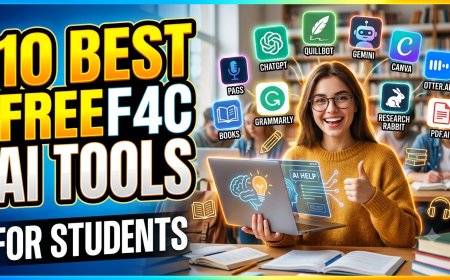
- ChatGPT — Strong all-around writing assistant for drafting, editing, and brainstorming, with a widely used free tier.
- Claude — Known for natural, human-sounding long-form writing and strong instruction-following, making it a favorite for articles, reports, and creative work.
- Grammarly — Goes beyond spell-checking to suggest tone and clarity improvements, useful for polishing writing rather than generating it from scratch.
Best AI Tools for Research
- Perplexity — Built specifically for research, with cited sources that make fact-checking faster.
- Gemini — Strong at compiling and summarizing complex research from multiple sources.
- NotebookLM — Lets you upload your own documents and ask questions directly against them, useful for research projects and study material.
Best AI Image Tools
- Midjourney — A leading choice for high-quality, artistic AI-generated images.
- DALL-E 3 — Fast, accessible image generation, good for quick iterations and everyday visuals.
- Canva — Combines AI image generation with an easy design interface, ideal for social media graphics and marketing visuals.
Best AI Video Tools
- Veo — Creates AI videos from text prompts or images, useful for short-form and promotional content.
- Synthesia — Turns scripts and documents into presenter-style business videos, popular for training and marketing content.
- Descript — Combines AI editing with transcription, useful for turning long-form video or podcasts into short clips.
Best AI Coding Tools
- Claude Code — Handles code writing, debugging, and multi-step development tasks directly from natural-language prompts.
- Cursor — An AI-powered code editor built for fast, in-editor coding assistance.
- GitHub Copilot — Widely used for real-time code suggestions inside popular code editors.
Best AI Tools for Students
- NotebookLM — Helps students summarize textbooks, lecture notes, and study material into quick, question-answerable references.
- ChatGPT — Useful for explaining concepts, breaking down complex topics, and helping with study plans.
- Grammarly — Helps polish essays and assignments for clarity and grammar before submission.
Free vs Paid AI Tools
| Free AI Tools | Paid AI Tools | |
|---|---|---|
| Cost | $0 — usually with usage limits | Typically $15–$25/month per tool |
| Features | Core functionality, capped usage | Higher usage limits, advanced features, priority access |
| Best for | Casual use, students, testing a tool before committing | Professional or daily use, heavier workloads |
Many tools — including ChatGPT, Claude, and Gemini — offer capable free tiers, making it easy to test a tool before paying for it.
How to Choose the Right Tool
- Identify the single task that takes up the most time in your workflow
- Start with a free tier or trial before subscribing
- Avoid subscribing to multiple tools that do the same job
- Reassess every few months — the AI tool landscape changes quickly, and better options emerge often
FAQ
Do I need to pay for AI tools to get good results?
No. Many free tiers, including ChatGPT and Claude, are capable enough for everyday writing, research, and study tasks.
Which AI tool is best for beginners?
ChatGPT and Claude are both beginner-friendly, with simple chat interfaces and no technical setup required.
Can I use multiple AI tools together?
Yes. Many professionals combine a writing tool, a research tool, and a specialized tool (image, video, or coding) rather than relying on just one.
How often do AI tools change or improve?
Frequently. New models and features are released regularly, so it's worth revisiting your toolset every few months.
Are AI tools safe to use with personal or work data?
It depends on the tool's privacy policy. Check how each tool handles your data before uploading sensitive documents.
What's Your Reaction?
 Like
0
Like
0
 Dislike
0
Dislike
0
 Love
0
Love
0
 Funny
0
Funny
0
 Angry
0
Angry
0
 Sad
0
Sad
0
 Wow
0
Wow
0