


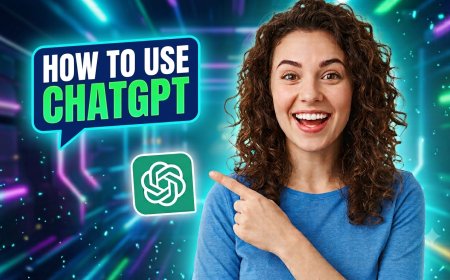



How to Use ChatGPT: A Complete Beginner's Guide
Learn how to use ChatGPT effectively, write better prompts, ask questions, create content, research ideas, and get better AI responses.
ChatGPT has become one of the most widely used AI tools in the world, but many beginners aren't sure how to get started or how to use it beyond basic questions. This guide walks you through everything from creating an account to writing prompts that actually get you useful results — whether you're using ChatGPT for research, writing, learning, or coding.
What Is ChatGPT?
ChatGPT is an AI chatbot developed by OpenAI that can understand natural language and generate human-like responses. It can answer questions, write content, explain concepts, help with coding, and hold ongoing conversations that remember context from earlier in the chat.
Unlike a search engine, ChatGPT doesn't just return links — it generates original responses based on your prompt, drawing on patterns it learned during training.
How to Create an Account
Getting started with ChatGPT is free and takes just a few minutes:
- Go to chatgpt.com in your web browser
- Click the Sign Up button
- Enter your email address and create a password, or sign up faster using a Google, Microsoft, or Apple account
- Check your inbox for a verification email and click the confirmation link
- Once verified, log in and you're ready to start chatting
No credit card is required for the free plan. Paid tiers exist for higher usage limits and access to more advanced features, but the free version is enough for most everyday tasks.
How to Start a Conversation
Once logged in, you'll see a text box at the bottom of the screen. Simply type your question or request and press enter. You can:
- Ask a direct question ("What is compound interest?")
- Request a task ("Write a short bio for my LinkedIn profile")
- Continue the conversation naturally — ChatGPT remembers earlier messages in the same chat, so you can ask follow-up questions without repeating context
How to Write Effective Prompts
The quality of ChatGPT's response depends heavily on how you ask. A few principles make a big difference:
- Be specific — "Write a 200-word product description for a wireless headphone" works better than "write something about headphones"
- Give context — Mention who the content is for, the tone you want, or any constraints
- Break big tasks into steps — Instead of asking for an entire report at once, ask section by section
- Ask it to revise — If the first response isn't quite right, tell ChatGPT what to change rather than starting over
ChatGPT for Research
ChatGPT can help summarize topics, explain complex subjects in simple terms, and organize information. For research-heavy tasks, ask it to break a topic into key points, compare different perspectives, or suggest what to investigate further. Since it can occasionally get facts wrong, always verify important details from a reliable source.
ChatGPT for Writing
ChatGPT is widely used for drafting emails, blog posts, social media captions, and more. To get better results, specify the tone (formal, casual, persuasive), the length, and the audience. You can also paste in your own draft and ask ChatGPT to edit, shorten, or improve it rather than write from scratch.
ChatGPT for Learning
ChatGPT works well as a study companion. You can ask it to explain a concept at a beginner level, quiz you on a topic, or break down a complex subject step by step. If an explanation is too advanced or too basic, simply ask it to adjust the level.
ChatGPT for Coding
ChatGPT can write code snippets, explain error messages, and help debug problems. For best results, paste the exact code or error message and describe what you're trying to achieve. It's helpful for learning programming concepts as well as speeding up everyday coding tasks.
Common Mistakes
- Being too vague — Broad prompts lead to generic, unhelpful answers
- Not fact-checking — ChatGPT can sound confident even when it's wrong; verify important facts independently
- Starting over instead of refining — It's usually faster to ask ChatGPT to adjust its previous response than to write a brand-new prompt
- Overloading one prompt — Asking for too much in a single message often produces a weaker result than breaking the task into steps
- Ignoring context — Not mentioning the audience, purpose, or tone leads to responses that miss the mark
Best Prompting Tips
- Tell ChatGPT what role to take on (e.g., "Act as a career coach") for more tailored responses
- Ask for multiple options when brainstorming, then refine the one you like best
- Use follow-up prompts like "make this shorter" or "make this more formal" instead of rewriting your original request
- Provide examples of the style or format you want when possible
- Save prompts that work well for tasks you repeat often
FAQ
Is ChatGPT free to use?
Yes. ChatGPT offers a free tier with no credit card required. Paid plans are available for higher usage limits and additional features.
Do I need any technical skills to use ChatGPT?
No. ChatGPT is designed for everyday use — you simply type questions or requests in plain language.
Can ChatGPT get things wrong?
Yes. ChatGPT can occasionally provide inaccurate information, especially on niche or fast-changing topics. Always verify important facts from a reliable source.
Does ChatGPT remember previous conversations?
It remembers context within the same conversation, and depending on your settings, it may also retain certain details across sessions.
What's the best way to get better answers from ChatGPT?
Be specific about what you want, provide context, and refine your prompt based on the response rather than starting from scratch each time.
What's Your Reaction?
 Like
0
Like
0
 Dislike
0
Dislike
0
 Love
0
Love
0
 Funny
0
Funny
0
 Angry
0
Angry
0
 Sad
0
Sad
0
 Wow
0
Wow
0