

15 Best AI Tools for Content Creators in 2026
Explore AI tools that help content creators with ideas, writing, images, videos, thumbnails, research, editing, and productivity.
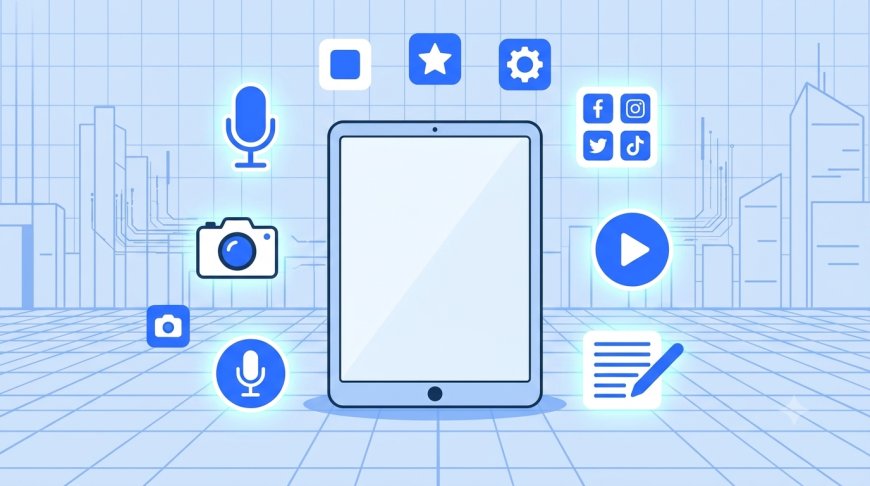
Creating content consistently — ideas, writing, visuals, video, and editing — takes a lot of time without the right tools. In 2026, AI tools cover nearly every part of the content creation process, helping creators move faster without sacrificing quality. This guide rounds up 15 AI tools worth trying, organized by what they help with, plus a recommended workflow for putting them together.
AI for Content Ideas
- ChatGPT — Great for brainstorming topics, generating content angles, and outlining posts or scripts based on a niche or audience.
- Claude — Strong for developing ideas into structured outlines and refining concepts with natural, human-sounding suggestions.
AI Writing Tools
- ChatGPT — Useful for drafting blog posts, captions, and scripts quickly, then refining tone and length through follow-up prompts.
- Grammarly — Polishes writing for clarity, tone, and grammar before publishing.
AI Image Generators
- Midjourney — Produces high-quality, artistic images, popular for cover art, blog visuals, and branded graphics.
- Canva Magic Studio — Combines AI image generation with an easy design interface and a large template library, ideal for creators without design experience.
- Adobe Express (Firefly) — A commercially safe option since it's trained only on licensed content, useful for creators who need to avoid copyright concerns.
AI Video Tools
- CapCut — A popular all-in-one video editor with AI-powered editing features, widely used by short-form content creators.
- Veo — Generates AI video from text prompts or images, useful for short promotional clips and B-roll.
- Descript — Combines AI editing with transcription, making it easy to turn long-form video or podcasts into short clips.
AI Thumbnail Tools
- Canva — Offers a large library of YouTube thumbnail templates alongside AI image generation, a strong all-round starting point for most creators.
- CapCut — Includes AI thumbnail generation alongside its video editor, useful for creators who want to stay in one tool from edit to thumbnail.
- Thumbnail-specific AI tools (e.g. purpose-built thumbnail generators) — Designed specifically to optimize for click-through rate using patterns from high-performing thumbnails, useful for creators publishing high volumes of video content.
AI Audio Tools
- ElevenLabs — Generates realistic voiceovers and text-to-speech audio, useful for narration, dubbing, or voice agents.
AI Research Tools
- Perplexity — Provides research with cited sources, useful for fact-checking and gathering background information for content.
- NotebookLM — Lets you upload your own reference material and ask questions directly against it, useful for research-heavy content.
AI Productivity Tools
- Notion AI — Helps organize content calendars, notes, and drafts in one place.
Recommended Workflow
- Idea generation — Use ChatGPT or Claude to brainstorm and outline your content
- Research — Use Perplexity or NotebookLM to gather accurate background information
- Writing — Draft with ChatGPT, polish with Grammarly
- Visuals — Generate images with Midjourney or Canva, create thumbnails with Canva or CapCut
- Video/audio — Edit with CapCut or Descript, add voiceover with ElevenLabs if needed
- Organize — Keep drafts and schedules organized with Notion AI
Most creators don't need every tool on this list — start with one from each stage of your workflow (idea, write, design, edit) and add more only if a clear gap appears.
FAQ
Do I need to pay for these AI tools?
No. Most tools listed offer usable free tiers, though features like watermark removal, higher resolution exports, or higher usage limits are often behind a paid plan.
Which AI tool should content creators start with?
Start with a general writing/idea tool like ChatGPT and a design tool like Canva — together they cover most of the content creation process for beginners.
Can AI replace the creative process entirely?
No. AI tools speed up production and remove repetitive work, but the creative direction, voice, and judgment still come from the creator.
Are AI-generated thumbnails effective?
They can be, especially when paired with manual refinement — using AI to generate a base image or layout, then adjusting it to match your channel's branding and content accurately.
How many AI tools should I use at once?
Focus on 3–5 tools that cover your actual workflow rather than adopting every tool available — this avoids wasted subscriptions and unnecessary complexity.
What's Your Reaction?
 Like
1
Like
1
 Dislike
0
Dislike
0
 Love
0
Love
0
 Funny
0
Funny
0
 Angry
0
Angry
0
 Sad
0
Sad
0
 Wow
0
Wow
0